
NVIDIA IsaacTeleop: ระบบสั่งการหุ่นยนต์จาก XR ด้วย Graph-Based Engine
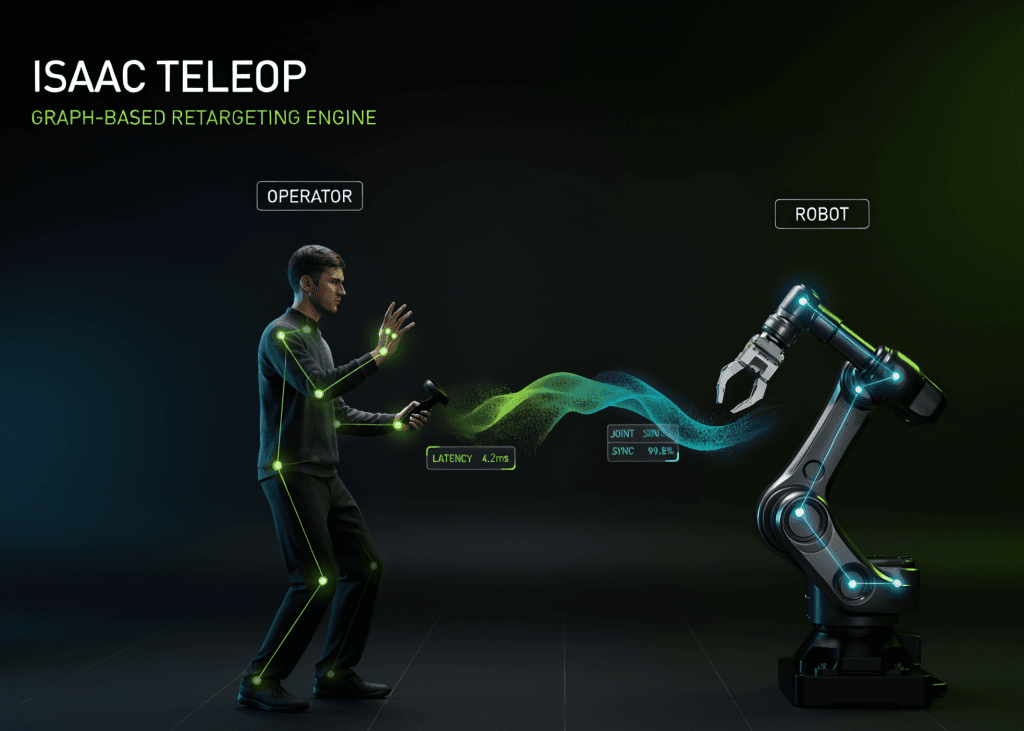
ใน tutorial นี้ เราจะทำความเข้าใจกับ retargeting engine ซึ่งเป็นหัวใจสำคัญของ [NVIDIA IsaacTeleop เฟรมเวิร์กที่เปลี่ยนการติดตามมือใน XR และอินพุตจาก motion-controller ให้เป็นคำสั่งสำหรับหุ่นยนต์ทั้งในระบบจำลองและของจริง แทนที่จะต้องเชื่อมต่อกับ headset เราจะสร้างอินพุตทุกอย่างขึ้นมาเองด้วย NumPy เพื่อให้แต่ละขั้นตอนรันบน Colab CPU ทั่วไปและแสดงผลการคำนวณได้
เราจะเริ่มตั้งแต่ระบบประเภทข้อมูล (type system) ที่แต่ละโหนดใช้สื่อสารกัน, การสร้างข้อมูลมือและคอนโทรลเลอร์จำลอง, การเขียน retargeter พร้อมพารามิเตอร์ที่ปรับจูนได้แบบเรียลไทม์ ไปจนถึงการขับเคลื่อน gripper และ SE(3) retargeters ในตัว จากนั้นจะประกอบกราฟเต็มรูปแบบที่ส่ง action vector ออกมาหนึ่งตัวต่อขั้นตอน, การใช้ world-frame transformation, การบริหารจัดการ state machine (start/stop/reset) และปิดท้ายด้วยการทำ mapping จากคอนโทรลเลอร์สู่มือกลที่คล่องแคล่ว (dexterous hand) พร้อมการบันทึกค่าพารามิเตอร์ให้คงอยู่แม้จะเริ่มระบบใหม่](https://github.com/NVIDIA/IsaacTeleop)
0. ติดตั้ง isaacteleop และตรวจสอบสภาพแวดล้อม
import os
import sys
import json
import math
import tempfile
import traceback
import subprocess
import numpy as np
RESULTS = {}
def banner(title):
    print("\n" + "=" * 78)
    print(title)
    print("=" * 78)
def section(name):
    def wrap(fn):
        def run(*a, **kw):
            banner(name)
            try:
                out = fn(*a, **kw)
                RESULTS[name] = out if isinstance(out, str) else "ok"
                return out
            except Exception as e:
                RESULTS[name] = f"SKIPPED / FAILED -> {type(e).__name__}: {e}"
                print(f"\n[!] {name} did not complete: {type(e).__name__}: {e}")
                traceback.print_exc(limit=3)
                return None
        return run
    return wrap
banner("0. Install isaacteleop and check the environment")
subprocess.run(
    [sys.executable, "-m", "pip", "install", "-q", "isaacteleop[retargeters-lite]==1.4.145"],
    check=True,
)
import pkgutil
import isaacteleop
from isaacteleop import schema
print(f" isaacteleop {isaacteleop.__version__} | Python {sys.version.split()[0]} | numpy {np.__version__}")
print(" top-level modules :", ", ".join(sorted(m.name for m in pkgutil.iter_modules(isaacteleop.__path__))))
message_types = [n for n in dir(schema) if n[0].isupper()]
print(f" schema message types: {len(message_types)}, e.g. {', '.join(message_types[:6])}")
print(" no headset, no OpenXR runtime, no simulator is used anywhere below.")
เราติดตั้ง isaacteleop เวอร์ชันเสถียรจาก PyPI พร้อมส่วนเสริม retargeters-lite ซึ่งจะเพิ่มเฉพาะ SciPy เข้ามา แพ็กเกจนี้แบ่งออกเป็นโมดูล I/O สำหรับอุปกรณ์ (OpenXR/CloudXR), โมดูล schema ที่เก็บประเภทข้อความ FlatBuffer และ retargeting engine แบบ Python ล้วน การทำงานทั้งหมดต่อจากนี้จะใช้เพียง tensor ที่สร้างขึ้นเองโดยไม่ต้องเชื่อมต่อ headset จริง
1. ข้อตกลงประเภทข้อมูล: TensorGroupType, TensorGroup และ Optional
from isaacteleop.retargeting_engine.interface import (
    TensorGroup,
    OptionalTensorGroup,
    TensorGroupType,
    OptionalType,
)
from isaacteleop.retargeting_engine.tensor_types import (
    HandInput,
    ControllerInput,
    HandInputIndex,
    ControllerInputIndex,
    HandJointIndex,
)
@section("1. The type contract: TensorGroupType, TensorGroup, Optional")
def type_contract():
    hand_t = HandInput()
    ctrl_t = ControllerInput()
    print(" HandInput :", hand_t)
    print(" slot index :", ", ".join(f"{m.name}={m.value}" for m in HandInputIndex))
    print(f" ControllerInput: {len(ctrl_t)} slots ->",
          ", ".join(t.name.replace("controller_", "") for t in ctrl_t.types))
    print(f" OpenXR hand joints: {len(HandJointIndex)} "
          f"(WRIST={int(HandJointIndex.WRIST)}, THUMB_TIP={int(HandJointIndex.THUMB_TIP)}, "
          f"INDEX_TIP={int(HandJointIndex.INDEX_TIP)})")
    hand = TensorGroup(hand_t)
    hand[HandInputIndex.JOINT_POSITIONS] = np.zeros((26, 3), dtype=np.float32)
    print("\n wrote a (26, 3) float32 array into JOINT_POSITIONS ->", hand)
    try:
        hand[HandInputIndex.JOINT_POSITIONS] = np.zeros((26, 3))
    except TypeError as e:
        print(" float64 rejected at write time :", str(e)[:110])
    try:
        _ = hand[HandInputIndex.JOINT_VALID]
    except ValueError as e:
        print(" reading a slot nobody wrote :", e)
    maybe = OptionalTensorGroup(OptionalType(ctrl_t))
    print(f"\n Optional group starts absent : is_none={maybe.is_none} {maybe}")
    maybe[ControllerInputIndex.TRIGGER_VALUE] = 0.0
    print(f" one write flips it to present : is_none={maybe.is_none} {maybe}")
    return f"{len(hand_t)} hand slots, {len(ctrl_t)} controller slots"
type_contract()
หัวใจของ engine คือ TensorGroup ซึ่งทำหน้าที่เป็น runtime container ที่เก็บค่าตามสล็อตที่กำหนดและตรวจสอบความถูกต้องทุกครั้งที่เขียน เช่น HandInput จะเก็บอาร์เรย์สำหรับข้อต่อมือ 26 จุด ส่วน ControllerInput จะเก็บข้อมูลท่าทางและปุ่มต่างๆ ระบบจะไม่อนุญาตให้เขียนข้อมูลผิดประเภท (เช่น float64 ลงในช่อง float32) และจะแจ้งข้อผิดพลาดหากอ่านสล็อตที่ยังไม่มีข้อมูล สำหรับ OptionalTensorGroup จะช่วยระบุสถานะว่าอุปกรณ์ถูกติดตามอยู่หรือไม่ ซึ่งจำเป็นมากเมื่อมือหลุดจากพื้นที่การติดตาม
2. ข้อมูลการติดตามจำลอง: สร้างมือและคอนโทรลเลอร์ด้วย NumPy
J = HandJointIndex
C = ControllerInputIndex
RIGHT_WRIST = np.array([0.30, 1.05, -0.45], dtype=np.float32) # OpenXR: x right, y up, z back
def make_hand(pinch_m, wrist=RIGHT_WRIST, quat=(0.0, 0.0, 0.0, 1.0)):
    """A synthetic right hand in HandInput layout: 26 joints in OpenXR order."""
    pos = np.zeros((26, 3), dtype=np.float32)
    pos[J.WRIST] = wrist
    pos[J.PALM] = wrist + [0.0, 0.0, -0.06]
    fingers = [(J.INDEX_METACARPAL, 0.03), (J.MIDDLE_METACARPAL, 0.01),
               (J.RING_METACARPAL, -0.01), (J.LITTLE_METACARPAL, -0.03)]
    for base, x_off in fingers: # metacarpal .. tip, five joints each
        for k in range(5):
            pos[base + k] = wrist + [x_off, 0.0, -0.05 - 0.02 * k]
    for k in range(4): # thumb: metacarpal .. tip, four joints
        pos[J.THUMB_METACARPAL + k] = wrist + [0.05, -0.01, -0.02 - 0.015 * k]
    pos[J.THUMB_TIP] = pos[J.INDEX_TIP] + [pinch_m, 0.0, 0.0]
    g = TensorGroup(HandInput())
    g[HandInputIndex.JOINT_POSITIONS] = pos
    g[HandInputIndex.JOINT_ORIENTATIONS] = np.tile(np.asarray(quat, dtype=np.float32), (26, 1))
    g[HandInputIndex.JOINT_RADII] = np.full(26, 0.01, dtype=np.float32)
    g[HandInputIndex.JOINT_VALID] = np.ones(26, dtype=np.uint8)
    return g
def make_controller(pos, quat=(0.0, 0.0, 0.0, 1.0), trigger=0.0, squeeze=0.0,
                    thumbstick=(0.0, 0.0), valid=True):
    """A synthetic controller snapshot in ControllerInput layout."""
    p = np.asarray(pos, dtype=np.float32)
    q = np.asarray(quat, dtype=np.float32)
    g = TensorGroup(ControllerInput())
    g[C.GRIP_POSITION], g[C.GRIP_ORIENTATION], g[C.GRIP_IS_VALID] = p, q, bool(valid)
    g[C.AIM_POSITION] = p + np.array([0.0, 0.0, -0.05], dtype=np.float32)
    g[C.AIM_ORIENTATION], g[C.AIM_IS_VALID] = q.copy(), bool(valid)
    for idx in (C.PRIMARY_CLICK, C.SECONDARY_CLICK, C.THUMBSTICK_CLICK, C.MENU_CLICK):
        g[idx] = 0.0
    g[C.THUMBSTICK_X], g[C.THUMBSTICK_Y] = float(thumbstick[0]), float(thumbstick[1])
    g[C.SQUEEZE_VALUE], g[C.TRIGGER_VALUE] = float(squeeze), float(trigger)
    return g
@section("2. Synthetic tracking data: a hand and a controller in numpy")
def synthetic_inputs():
    hand = make_hand(pinch_m=0.06)
    pos = hand[HandInputIndex.JOINT_POSITIONS]
    print(" joint            x      y      z")
    for j in (J.WRIST, J.PALM, J.THUMB_TIP, J.INDEX_TIP, J.LITTLE_TIP):
        print(f" {j.name:12s} {pos[j][0]:6.3f} {pos[j][1]:6.3f} {pos[j][2]:6.3f}")
    pinch = np.linalg.norm(pos[J.THUMB_TIP] - pos[J.INDEX_TIP])
    print(f" thumb-to-index distance: {pinch * 100:.1f} cm "
          f"valid joints: {int(hand[HandInputIndex.JOINT_VALID].sum())}/26")
    ctrl = make_controller((0.40, 1.20, -0.30), trigger=0.8, thumbstick=(0.0, 0.5))
    print(f"\n controller grip {np.round(ctrl[C.GRIP_POSITION], 2)} aim {np.round(ctrl[C.AIM_POSITION], 2)} "
          f"trigger {ctrl[C.TRIGGER_VALUE]} squeeze {ctrl[C.SQUEEZE_VALUE]} "
          f"thumbstick ({ctrl[C.THUMBSTICK_X]}, {ctrl[C.THUMBSTICK_Y]})")
    return "synthetic HandInput + ControllerInput builders"
synthetic_inputs()
เราสร้างฟังก์ชัน make_hand และ make_controller เพื่อจำลองข้อมูลที่ปกติจะได้จาก headset โดยฟังก์ชันแรกจะจัดวางข้อต่อ 26 จุดตามมาตรฐาน OpenXR ส่วนฟังก์ชันหลังจะจำลองการกดปุ่มและค่าแกนต่างๆ ของคอนโทรลเลอร์ ข้อมูลจำลองเหล่านี้จะอยู่ในรูปแบบ TensorGroups ซึ่ง retargeter สามารถนำไปประมวลผลได้ทันทีเสมือนเป็นข้อมูลจริง
3. การสร้าง Retargeter: ตรวจจับการจีบนิ้วพร้อมพารามิเตอร์ที่ปรับจูนได้
from isaacteleop.retargeting_engine.interface import (
    BaseRetargeter,
    ParameterState,
    FloatParameter,
    BoolParameter,
)
from isaacteleop.retargeting_engine.tensor_types import FloatType, BoolType
class PinchRetargeter(BaseRetargeter):
    """Thumb-to-index distance -> (distance_cm, is_pinching), with live-tunable parameters."""
    def __init__(self, name, config_file=None):
        params = [
            FloatParameter("threshold_cm", "Pinching when closer than this",
                           default_value=3.0, min_value=0.5, max_value=10.0,
                           sync_fn=lambda v: setattr(self, "threshold_cm", v)),
            BoolParameter("use_distal_joints", "Measure between distal joints, not tips",
                          default_value=False,
                          sync_fn=lambda v: setattr(self, "use_distal_joints", v)),
        ]
        super().__init__(name, parameter_state=ParameterState(name, params, config_file=config_file))
    def input_spec(self):
        return {"hand_right": OptionalType(HandInput())}
    def output_spec(self):
        return {"pinch": TensorGroupType("pinch", [FloatType("distance_cm"), BoolType("is_pinching")])}
    def _compute_fn(self, inputs, outputs, context):
        hand = inputs["hand_right"]
        if hand.is_none: # tracking lost: say so, do not guess
            outputs["pinch"][0] = -1.0
            outputs["pinch"][1] = False
            return
        pos = np.from_dlpack(hand[HandInputIndex.JOINT_POSITIONS])
        a, b = (J.THUMB_DISTAL, J.INDEX_DISTAL) if self.use_distal_joints else (J.THUMB_TIP, J.INDEX_TIP)
        d_cm = float(np.linalg.norm(pos[a] - pos[b]) * 100.0)
        outputs["pinch"][0] = d_cm
        outputs["pinch"][1] = bool(d_cm < self.threshold_cm)
@section("3. Write a retargeter: pinch detection with live-tunable parameters")
def custom_retargeter():
    pinch = PinchRetargeter("pinch")
    for d in (0.06, 0.02):
        out = pinch({"hand_right": make_hand(d)})
        print(f" hand at {d * 100:.0f} cm -> distance_cm={out['pinch'][0]:.2f} is_pinching={out['pinch'][1]}")
    out = pinch({}) # optional input omitted entirely
    print(f" no hand tracked -> distance_cm={out['pinch'][0]:.1f} is_pinching={out['pinch'][1]}")
    state = pinch.get_parameter_state()
    print("\n tunable parameters:", state.get_all_values())
    for threshold in (2.5, 3.5):
        state.set({"threshold_cm": threshold}) # what the tuning UI does from its own thread
        out = pinch({"hand_right": make_hand(0.028)})
        print(f" threshold_cm={threshold}: a 2.8 cm pinch -> is_pinching={out['pinch'][1]}")
    state.set({"use_distal_joints": True})
    out = pinch({"hand_right": make_hand(0.028)})
    print(f" use_distal_joints=True: distance_cm={out['pinch'][0]:.2f} is_pinching={out['pinch'][1]}")
    return "custom retargeter + 2 tunable parameters"
custom_retargeter()
PinchRetargeter เป็นตัวอย่างการเขียนโหนดประมวลผลเอง โดยวัดระยะห่างระหว่างนิ้วโป้งและนิ้วชี้เพื่อส่งค่ากลับเป็นสถานะการจีบนิ้ว ความพิเศษคือการใช้ ParameterState ที่ช่วยให้เราปรับค่า threshold ได้แบบเรียลไทม์ผ่าน UI โดยไม่ต้องหยุดการทำงานของโปรแกรม ซึ่งค่าที่ตั้งใหม่จะมีผลในเฟรมถัดไปทันที
4. Retargeters สำเร็จรูป: ระบบ Gripper และ SE(3) Pose
from isaacteleop.retargeters import (
    GripperRetargeter,
    GripperRetargeterConfig,
    Se3AbsRetargeter,
    Se3RelRetargeter,
    Se3RetargeterConfig,
)
@section("4. Built-in retargeters: gripper hysteresis and SE(3) end-effector pose")
def builtin_retargeters():
    gripper = GripperRetargeter(
        GripperRetargeterConfig(hand_side="right", gripper_close_meters=0.03, gripper_open_meters=0.05),
        name="gripper",
    )
    print(" pinch sweep (close below 3 cm, open above 5 cm, hold in between):")
    for d in (0.07, 0.045, 0.028, 0.040, 0.052, 0.020):
        cmd = gripper({"hand_right": make_hand(d)})["gripper_command"][0]
        print(f" {d * 100:4.1f} cm -> {cmd:+.0f} {'CLOSED' if cmd < 0 else 'open'}")
    cmd = gripper({"hand_right": make_hand(0.07),
                   "controller_right": make_controller((0.3, 1.0, -0.4), trigger=0.9)})["gripper_command"][0]
    print(f" open hand + trigger 0.9 -> {cmd:+.0f} (a present controller outranks hand tracking)")
    se3 = Se3AbsRetargeter(
        Se3RetargeterConfig(input_device="controller_right", target_offset_roll=90.0, zero_out_xy_rotation=True),
        name="ee_pose",
    )
    ctrl = make_controller((0.40, 1.20, -0.30))
    pose = np.from_dlpack(se3({"controller_right": ctrl})["ee_pose"][0])
    print(f"\n Se3Abs: grip {np.round(ctrl[C.GRIP_POSITION], 2)} -> ee_pose pos {np.round(pose[:3], 3)} "
          f"quat(xyzw) {np.round(pose[3:], 3)}")
    lost = make_controller((9.0, 9.0, 9.0), valid=False)
    pose2 = np.from_dlpack(se3({"controller_right": lost})["ee_pose"][0])
    print(f" grip_is_valid=False -> holds the last pose: {np.round(pose2[:3], 3)}")
    rel = Se3RelRetargeter(
        Se3RetargeterConfig(input_device="controller_right", delta_pos_scale_factor=10.0, alpha_pos=0.5),
        name="ee_delta",
    )
    print("\n Se3Rel: the controller moves +2 cm in x every frame (delta x10, EMA alpha 0.5):")
    for i in range(4):
        ctrl = make_controller((0.40 + 0.02 * i, 1.20, -0.30))
        delta = np.from_dlpack(rel({"controller_right": ctrl})["ee_delta"][0])
        print(f" frame {i}: ee_delta [dx, dy, dz, rx, ry, rz] = {np.round(delta, 3)}")
    return "gripper, Se3Abs and Se3Rel driven from synthetic input"
builtin_retargeters()
ระบบมี retargeters สำเร็จรูปให้ใช้งาน เช่น GripperRetargeter ที่มาพร้อมระบบ hysteresis (ปิดเมื่อต่ำกว่า 3 ซม. และจะเปิดเมื่อเกิน 5 ซม. เท่านั้น เพื่อป้องกันอาการสั่นของก้ามปู) และ Se3AbsRetargeter ที่แปลงท่าทางจากคอนโทรลเลอร์เป็นตำแหน่ง end-effector แบบ 7 มิติ โดยสามารถตั้งค่า offset และกรองการหมุนที่ไม่ต้องการออกได้
5. การประกอบ Graph: จากโหนดเริ่มต้นสู่ Action Vector
from isaacteleop.retargeting_engine.interface import ValueInput, OutputCombiner
from isaacteleop.retargeters import TensorReorderer
class CountingInput(ValueInput):
    """A ValueInput leaf that counts how many times the graph asked it to compute."""
    def __init__(self, name, tensor_type):
        super().__init__(name, tensor_type)
        self.calls = 0
    def _compute_fn(self, inputs, outputs, context):
        self.calls += 1
        super()._compute_fn(inputs, outputs, context)
def build_pipeline():
    controller = CountingInput("controller_right", OptionalType(ControllerInput()))
    hand = CountingInput("hand_right", OptionalType(HandInput()))
    ee_pose = Se3AbsRetargeter(Se3RetargeterConfig(input_device="controller_right"), name="ee_pose").connect(
        {"controller_right": controller.output("value")}
    )
    gripper = GripperRetargeter(GripperRetargeterConfig(hand_side="right"), name="gripper").connect(
        {"controller_right": controller.output("value"), "hand_right": hand.output("value")}
    )
    ee = ["pos_x", "pos_y", "pos_z", "quat_x", "quat_y", "quat_z", "quat_w"]
    action = TensorReorderer(
        input_config={"ee_pose": ee, "gripper_command": ["gripper"]},
        output_order=ee + ["gripper"],
        name="action",
        input_types={"ee_pose": "array", "gripper_command": "scalar"},
    ).connect({"ee_pose": ee_pose.output("ee_pose"), "gripper_command": gripper.output("gripper_command")})
    return OutputCombiner({"action": action.output("output")}), controller, hand
@section("5. Compose the graph: leaves -> retargeters -> one action vector per step")
def compose_graph():
    pipeline, controller, hand = build_pipeline()
    print(" leaf nodes :", [n.name for n in pipeline.get_leaf_nodes()])
    print(" outputs    :", {k: str(v) for k, v in pipeline.output_types().items()})
    print("\n frame trigger action = [x, y, z, qx, qy, qz, qw, gripper]")
    for f in range(6):
        t = f / 6
        trigger = 1.0 if f >= 4 else 0.0
        ctrl = make_controller((0.40 + 0.10 * math.cos(2 * math.pi * t), 1.20,
                               -0.30 + 0.10 * math.sin(2 * math.pi * t)), trigger=trigger)
        leaf_inputs = {"controller_right": {"value": ctrl}, "hand_right": {"value": make_hand(0.06)}}
        action = np.from_dlpack(pipeline.execute_pipeline(leaf_inputs)["action"][0])
        print(f" {f:3d}    {trigger:.1f}    {np.round(action, 3)}")
    print(f"\n the controller leaf feeds two retargeters, yet computed {controller.calls} times "
          f"in 6 frames: one ExecutionCache per step")
    return f"8-D action vector; {controller.calls} leaf computes for 6 frames"
compose_graph()
การประกอบไปป์ไลน์ทำได้โดยการเชื่อมโยงเอาต์พุตจากโหนดหนึ่งไปยังอินพุตของอีกโหนด (DAG) โดย ExecutionCache จะช่วยให้การคำนวณมีประสิทธิภาพสูงสุด เช่น ข้อมูลคอนโทรลเลอร์ที่ใช้ในหลายจุดจะถูกคำนวณเพียงครั้งเดียวต่อเฟรม เมื่อต้องการนำไปใช้กับฮาร์ดแวร์จริง เพียงเปลี่ยนโหนด ValueInput เป็นแหล่งข้อมูลจากอุปกรณ์จริง กราฟประมวลผลทั้งหมดก็จะทำงานได้ทันที
6. การจัดการพิกัด: ControllerTransform
from scipy.spatial.transform import Rotation
from isaacteleop.retargeting_engine.utilities import ControllerTransform
from isaacteleop.retargeting_engine.tensor_types import TransformMatrix
@section("6. Coordinate frames: ControllerTransform with a world_T_anchor matrix")
def coordinate_frames():
    world_T_anchor = np.eye(4, dtype=np.float32)
    world_T_anchor[:3, :3] = Rotation.from_euler("z", 90, degrees=True).as_matrix().astype(np.float32)
    world_T_anchor[:3, 3] = [1.0, 0.0, 0.5]
    xf = TensorGroup(TransformMatrix())
    xf[0] = world_T_anchor
    ctrl = make_controller((0.40, 1.20, -0.30), trigger=0.7)
    out = ControllerTransform("controller_xform")({"controller_right": ctrl, "transform": xf})
    p_in, p_out = ctrl[C.GRIP_POSITION], out["controller_right"][C.GRIP_POSITION]
    print(f" grip position anchor frame {np.round(p_in, 3)} -> world frame {np.round(p_out, 3)}")
    print(f" check R @ p + t = {np.round(world_T_anchor[:3, :3] @ p_in + world_T_anchor[:3, 3], 3)}")
    print(f" grip orientation (xyzw) {np.round(ctrl[C.GRIP_ORIENTATION], 3)} -> "
          f"{np.round(out['controller_right'][C.GRIP_ORIENTATION], 3)}")
    print(f" trigger passes through {ctrl[C.TRIGGER_VALUE]} -> {out['controller_right'][C.TRIGGER_VALUE]}")
    print(f" left controller not given -> {out['controller_left']}")
    return "yaw 90 deg + translation applied to grip and aim, inputs untouched"
coordinate_frames()
``` เนื่องจาก headset รายงานพิกัดในกรอบอ้างอิงของตัวเอง (anchor frame) แต่หุ่นยนต์ทำงานใน world frame เราจึงต้องใช้ `ControllerTransform` เพื่อแปลงพิกัดตำแหน่งและทิศทางผ่านเมทริกซ์ 4x4 โดยระบบจะประมวลผลเฉพาะค่าท่าทาง ส่วนค่าปุ่มกดต่างๆ จะถูกส่งผ่านไปโดยไม่มีการแก้ไข

### 7. ระบบควบคุม State Machine

```python
from isaacteleop.teleop_session_manager import DefaultTeleopStateManager, bool_signal
from isaacteleop.retargeting_engine.interface import ComputeContext, ExecutionEvents, ExecutionState
from isaacteleop.retargeters import LocomotionRootCmdRetargeter, LocomotionRootCmdRetargeterConfig
def button(name, pressed):
    g = TensorGroup(bool_signal(name))
    g[0] = bool(pressed)
    return g
def state_name(out):
    st = out["teleop_state"]
    return next(t.name for i, t in enumerate(st.group_type.types) if st[i])
@section("7. The control state machine: run, pause, kill, and the reset pulse")
def state_machine():
    sm = DefaultTeleopStateManager("state")
    script = [("idle", 0, 0, 0), ("press run", 1, 0, 0), ("release", 0, 0, 0), ("press run", 1, 0, 0),
              ("hold run", 1, 0, 0), ("release", 0, 0, 0), ("press reset", 0, 0, 1), ("release", 0, 0, 0),
              ("KILL", 0, 1, 0), ("release", 0, 0, 0)]
    print(" input          run kill reset | state    reset_event")
    for label, run, kill, reset in script:
        out = sm({"run_toggle_button": button("run_toggle_button", run),
                  "kill_button": button("kill_button", kill),
                  "reset_button": button("reset_button", reset)})
        print(f" {label:12s} {run}   {kill}    {reset}    | {state_name(out):8s} {out['reset_event'][0]}")
    out = sm({"run_toggle_button": button("run_toggle_button", 0)})
    print(f" kill signal lost | {state_name(out):8s} (fail-safe: required input absent)")
    loco = LocomotionRootCmdRetargeter(LocomotionRootCmdRetargeterConfig(initial_hip_height=0.72), name="loco")
    print("\n right thumbstick Y=+1 raises the hip height each frame; a reset pulse snaps it back:")
    for i, reset in enumerate([False, False, False, True, False]):
        ctx = ComputeContext(execution_events=ExecutionEvents(reset=reset, execution_state=ExecutionState.RUNNING))
        cmd = loco({"controller_left": make_controller((0, 1, 0), thumbstick=(0.0, 0.6)),
                    "controller_right": make_controller((0, 1, 0), thumbstick=(0.2, 1.0))},
                   context=ctx)["root_command"][0]
        print(f" frame {i} reset={str(reset):5s} root_command [vx, vy, wz, hip] = {np.round(cmd, 4)}")
    return "STOPPED -> PAUSED -> RUNNING -> STOPPED, reset pulses delivered through ComputeContext"
state_machine()
การควบคุมหุ่นยนต์จำเป็นต้องมีระบบความปลอดภัย DefaultTeleopStateManager ทำหน้าที่จัดการสถานะ (STOPPED, PAUSED, RUNNING) และส่งสัญญาณ reset ไปยังโหนดต่างๆ ในกราฟผ่าน ComputeContext เพื่อให้หุ่นยนต์กลับสู่ค่าเริ่มต้นได้ทันทีเมื่อจำเป็น
8. การควบคุมนิ้วมือที่คล่องแคล่วและการบันทึกค่าพารามิเตอร์
from isaacteleop.retargeters import TriHandMotionControllerRetargeter, TriHandMotionControllerConfig
@section("8. Controller -> dexterous hand joints, and tuned parameters that survive a restart")
def trihand_and_persistence():
    joints = ["thumb_rotation", "thumb_proximal", "thumb_distal", "index_proximal",
              "index_distal", "middle_proximal", "middle_distal"]
    tri = TriHandMotionControllerRetargeter(
        TriHandMotionControllerConfig(hand_joint_names=joints, controller_side="right"), name="trihand_right"
    )
    print(" trigger squeeze |" + "".join(f"{j[:10]:>11s}" for j in joints))
    for trig, sq in ((0.0, 0.0), (1.0, 0.0), (0.0, 1.0), (1.0, 1.0)):
        out = tri({"controller_right": make_controller((0.3, 1.0, -0.4), trigger=trig, squeeze=sq)})["hand_joints"]
        print(f"  {trig:.1f}     {sq:.1f}     |" + "".join(f"{out[i]:11.2f}" for i in range(7)))
    cfg_path = os.path.join(tempfile.mkdtemp(), "ee_pose_tuning.json")
    se3 = Se3AbsRetargeter(Se3RetargeterConfig(input_device="controller_right", parameter_config_path=cfg_path),
                           name="ee_pose")
    se3.get_parameter_state().set({"rotation_offset_rpy": np.array([90.0, 0.0, 45.0]),
                                   "position_offset_xyz": np.array([0.0, 0.0, 0.10])})
    print()
    se3.get_parameter_state().save_to_file()
    print(" saved   :", json.load(open(cfg_path)))
    ctrl = make_controller((0.4, 1.2, -0.3))
    pose_a = np.from_dlpack(se3({"controller_right": ctrl})["ee_pose"][0])
    se3_b = Se3AbsRetargeter(Se3RetargeterConfig(input_device="controller_right", parameter_config_path=cfg_path),
                             name="ee_pose_restarted")
    pose_b = np.from_dlpack(se3_b({"controller_right": ctrl})["ee_pose"][0])
    print(f" tuned instance ee_pose = {np.round(pose_a, 3)}")
    print(f" restarted instance ee_pose = {np.round(pose_b, 3)} <- same tuning, read back from JSON")
    return "7-DOF trihand mapping; parameter JSON round trip"
trihand_and_persistence()
ส่วนสุดท้ายคือการใช้คอนโทรลเลอร์ควบคุมนิ้วมือหุ่นยนต์ 7 ข้อต่อผ่าน TriHandMotionControllerRetargeter และการบันทึกค่าการปรับจูน (calibration) ลงไฟล์ JSON เพื่อให้นำกลับมาโหลดใช้งานใหม่ได้โดยอัตโนมัติ ช่วยให้การตั้งค่าต่างๆ ไม่สูญหายเมื่อเริ่มเซสชันใหม่
สรุปผลการทดสอบ
banner("SUMMARY")
for name, res in RESULTS.items():
    print(f" {name:<78s} {res}")
สรุปแล้ว เราสามารถสร้างไปป์ไลน์ควบคุมหุ่นยนต์ที่สมบูรณ์ได้ด้วย Python โดยระบบประเภทข้อมูลของ IsaacTeleop จะช่วยป้องกันความผิดพลาดของข้อมูลได้ตั้งแต่ต้น พารามิเตอร์ที่ปรับได้แบบสดๆ และการรองรับสถานะการสูญเสียการติดตาม ทำให้อุปกรณ์นี้มีความพร้อมสูงสำหรับการใช้งานจริงใน Isaac Lab ไม่ว่าจะผ่านฮาร์ดแวร์จริงหรือการเล่นย้ำไฟล์ MCAP ที่บันทึกไว้
ความคิดเห็น (0)
เข้าสู่ระบบเพื่อร่วมแสดงความเห็น
สมัครสมาชิกมาเป็นคนแรกที่แสดงความเห็นกันเลยโบร