
คู่มือ NVIDIA Nsight Python: เจาะลึกวิธีโปรไฟล์ GPU Kernels
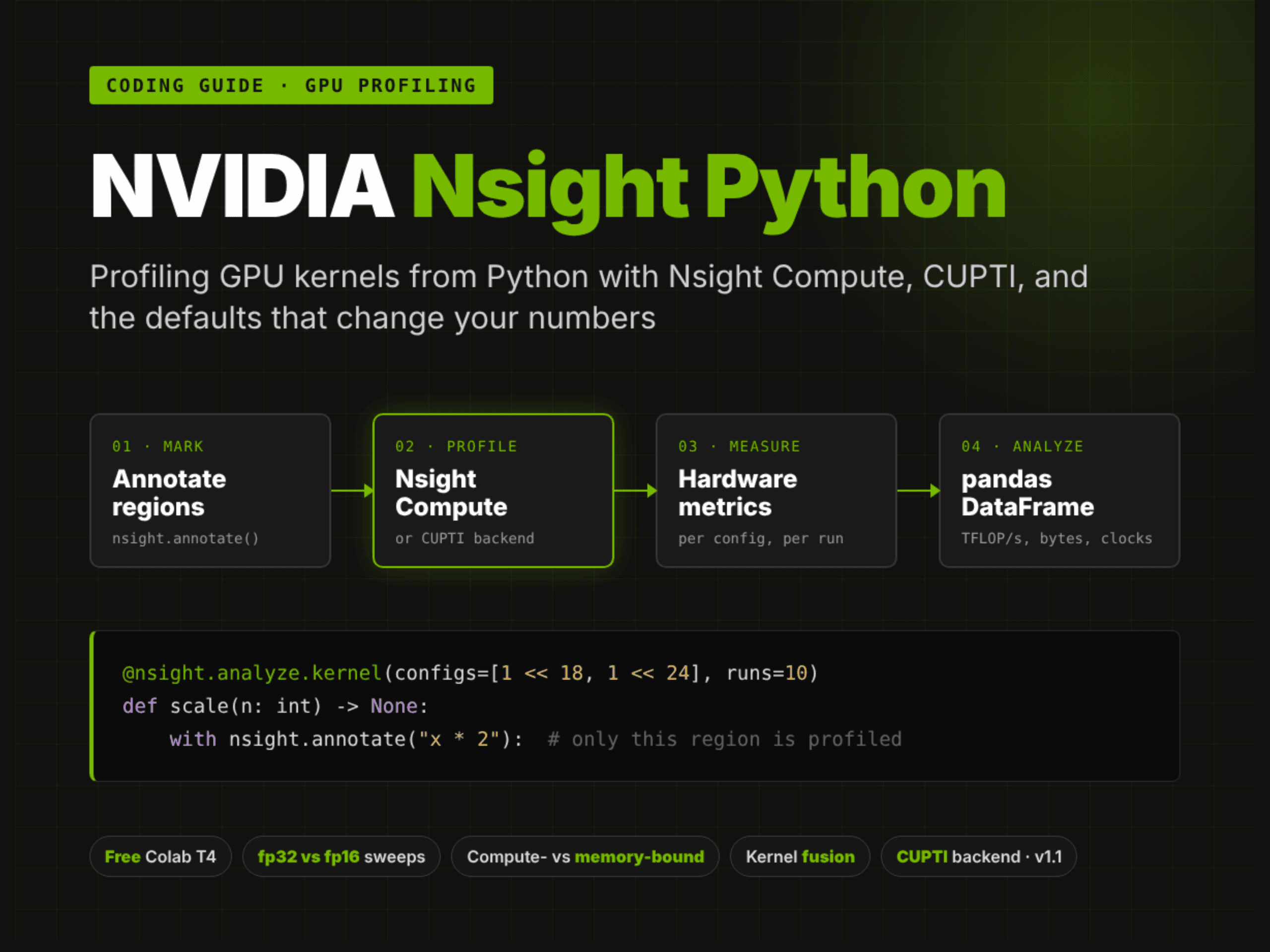
บทช่วยสอนนี้จะแนะนำการใช้งาน Nsight Python ซึ่งเป็นอินเทอร์เฟซ Python แบบโอเพนซอร์สจาก NVIDIA สำหรับการโปรไฟล์ kernel แทนที่จะต้องรันคำสั่งผ่าน Nsight Compute แบบเดิม เราสามารถระบุส่วนของโค้ดที่สนใจด้วย nsight.annotate หรือใช้ nsight.analyze.kernel ตกแต่งฟังก์ชันเพื่อรับผลลัพธ์เป็น pandas DataFrame ของเมทริกซ์ฮาร์ดแวร์ได้ทันที
ตั้งแต่เวอร์ชัน 1.0 ไลบรารีนี้สามารถแนบ Nsight Compute เข้ากับโปรเซส Python ที่กำลังทำงานอยู่ ทำให้ใช้งานใน Jupyter และ Colab ได้สะดวกขึ้น ส่วนเวอร์ชัน 1.1 ที่กำลังจะมาถึงได้เพิ่ม backend ของ CUPTI รุ่นทดลอง การจัดการเครื่องมืออย่างชัดเจน และตัวรวบรวมข้อมูลที่กำหนดเอง โดยในตัวอย่างนี้จะรันบน Colab T4 ฟรี ซึ่งครอบคลุมตั้งแต่การติดตั้ง การวัดผลกระทบของแคชและคล็อก ไปจนถึงการวิเคราะห์งานที่เป็น compute-bound และ memory-bound
import os
import sys
import glob
import json
import time
import shutil
import textwrap
import traceback
import subprocess

RESULTS = {}

def banner(title):
    print("\n" + "=" * 78)
    print(title)
    print("=" * 78)

def section(name):
    def wrap(fn):
        def run(*a, **kw):
            banner(name)
            try:
                out = fn(*a, **kw)
                RESULTS[name] = out if isinstance(out, str) else "ok"
                return out
            except Exception as e:
                RESULTS[name] = f"SKIPPED / FAILED -> {type(e).__name__}: {str(e).splitlines()[0][:160]}"
                print(f"\n[!] {name} did not complete: {type(e).__name__}: {e}")
                traceback.print_exc(limit=3)
                return None
        return run
    return wrap

def sh(cmd):
    """Run a shell command and return its stdout, stripped."""
    return subprocess.run(cmd, shell=True, capture_output=True, text=True).stdout.strip()

banner("1. Install a current Nsight Compute next to Colab's, then import nsight before CUDA")
print(f"  GPU: {sh('nvidia-smi --query-gpu=name,driver_version,memory.total,compute_cap --format=csv,noheader')}")
preinstalled = shutil.which("ncu")
print(f"  ncu already on PATH: {preinstalled} -> {sh('ncu --version | tail -1') if preinstalled else 'none'}")

# nsight-python needs Nsight Compute 2026.2.1 or newer. Colab ships an older ncu, but its image already
# carries NVIDIA's CUDA apt repository, so a current release is one apt-get away. It installs into
# /opt/nvidia/nsight-compute/<version>/ and leaves the preinstalled one untouched.
subprocess.run("apt-get update -qq > /tmp/ncu_install.log 2>&1", shell=True)
for NCU_VERSION in ("2026.3.1", "2026.2.1"):
    if subprocess.run(f"apt-get install -y -qq nsight-compute-{NCU_VERSION} >> /tmp/ncu_install.log 2>&1",
                      shell=True).returncode == 0:
        break
else:
    print(sh("tail -5 /tmp/ncu_install.log"))
    raise RuntimeError("could not install Nsight Compute 2026.2.1+ from NVIDIA's apt repository")
# ask dpkg where the package put the ncu launcher rather than assuming /opt/nvidia/nsight-compute/<version>/
ncu_paths = sh(f"dpkg -L nsight-compute-{NCU_VERSION} | grep -E '/ncu$'").split()
if not ncu_paths:
    raise RuntimeError(f"dpkg lists no ncu executable in nsight-compute-{NCU_VERSION}")
NCU_DIR = os.path.dirname(min(ncu_paths, key=len))  # the top-level launcher, not a per-platform copy
os.environ["PATH"] = NCU_DIR + os.pathsep + os.environ["PATH"]  # nsight-python looks ncu up on PATH
print(f"  installed: {shutil.which('ncu')} -> {sh('ncu --version | tail -1')}")

# nsight-python 1.1.0 (CUPTI backend, tool APIs, info collectors) is tagged but not yet on PyPI;
# pin the commit this notebook was written against. The [cupti] extra is used in step 9.
NSIGHT_COMMIT = "bb96db4260b1823d86ecab9acfed0646d7af79ad"
subprocess.run([sys.executable, "-m", "pip", "install", "-q",
                f"nsight-python @ git+https://github.com/NVIDIA/nsight-python@{NSIGHT_COMMIT}"], check=True)
# The CUPTI backend needs cupti-python 13.4, which wants a newer libcupti than Colab's torch is pinned to.
# Install it into a separate directory that only step 9's child process puts on its path.
CUPTI_DIR = "/content/cupti_env"
CUPTI_EXTRA = subprocess.run([sys.executable, "-m", "pip", "install", "-q", "--target", CUPTI_DIR, "--no-deps",
                              "cupti-python>=13.4.0", "nvidia-cuda-cupti~=13.4", "pyelftools"]).returncode == 0

import nsight  # activates Nsight Compute's injection library: must come before anything initializes CUDA
from nsight.collection import ncu as ncu_backend

import numpy as np
import pandas as pd
import torch

SILENT = nsight.VerbosityLevel.SILENT
pd.set_option("display.width", 200)
pd.set_option("display.max_columns", 30)
print(f"  nsight-python {nsight.__version__} | active tool: {nsight.get_active_tool()}"
      f" | injection error at import: {ncu_backend.injection_load_error}")
print(f"  torch {torch.__version__} (CUDA {torch.version.cuda}) | {torch.cuda.get_device_name(0)}"
      f" | cupti-python installed: {CUPTI_EXTRA}")
print("\n  Order matters: `import nsight` loads Nsight Compute into this Python process, and it can only")
print("  attach to CUDA work started after that. Every profiled function below runs in this same")
print("  process; nsight-python starts `ncu --mode attach` on its own PID for each one.")
ขั้นตอนแรกคือการตรวจสอบ GPU และเครื่องมือโปรไฟล์ โดย Nsight Python ต้องการ Nsight Compute (ncu) เวอร์ชัน 2026.2.1 ขึ้นไป ซึ่งเราสามารถติดตั้งเวอร์ชัน 2026.3.1 ผ่าน apt-get บน Colab ได้ ลำดับการนำเข้า (import) มีความสำคัญมาก คือต้อง import nsight ก่อนที่ PyTorch จะเริ่มทำงานกับ GPU เพื่อให้ไลบรารีการฉีดข้อมูลสามารถแนบเข้ากับงาน CUDA ได้อย่างถูกต้อง
ADD = lambda x, y: x + y   # sums a metric if cuBLAS splits one matmul into several kernels

@nsight.analyze.kernel(thermal_mode="off", combine_kernel_metrics=ADD)
def first_matmul(n: int) -> None:
    a = torch.randn(n, n, device="cuda")
    b = torch.randn(n, n, device="cuda")
    with nsight.annotate("matmul"):
        _ = a @ b

@section("2. Profile one kernel: what a ProfileResults row contains")
def first_profile():
    df = first_matmul(2048).to_dataframe()
    print(f"\n  to_dataframe() columns: {list(df.columns)}\n")
    r = df.iloc[0]
    t = float(r["AvgValue"])
    print(f"  annotation {r['Annotation']!r}, n = {r['n']}, kernel {r['Kernel']}")
    print(f"  {r['Metric']} = {t:,.0f} {r['Unit']}  (runs {r['NumRuns']}, stable: {r['StableMeasurement']})")
    print(f"  GPU {r['GPU']}, ComputeClock {r['ComputeClock']}, MemoryClock {r['MemoryClock']}")
    print(f"  -> {2 * 2048 ** 3 / (t * 1e-9) / 1e12:.2f} TFLOP/s for a 2048 x 2048 fp32 matmul")
    print("\n  Only the kernel launched inside nsight.annotate() is profiled; torch.randn above it is not.")
    print("  With a single run, StableMeasurement is <NA>: one sample has no spread to judge.")
    return f"fp32 2048 matmul {t / 1e6:.3f} ms ({2 * 2048 ** 3 / (t * 1e-9) / 1e12:.2f} TFLOP/s)"

first_profile()
ในการโปรไฟล์ครั้งแรกจะเป็นการคูณเมทริกซ์ fp32 โดยเราจะครอบเฉพาะส่วนที่ต้องการวัดด้วย nsight.annotate เพื่อไม่ให้รวมเวลาของการสร้างตัวเลขสุ่ม การเรียกใช้ฟังก์ชันจะเริ่ม ncu ในโหมด attach และคืนค่าเป็น ProfileResults ซึ่งสามารถแปลงเป็น DataFrame เพื่อดูข้อมูลอย่างละเอียด เช่น ชื่อ kernel, เวลาที่ใช้ในหน่วยนาโนวินาที และค่าคล็อกของอุปกรณ์
def show(df, cols, scale=None, fmt="{:,.2f}"):
    out = df[cols].copy()
    for c, f in (scale or {}).items():
        out[c] = out[c] * f
    print(textwrap.indent(out.to_string(index=False, float_format=lambda v: fmt.format(v)), "  "))

@nsight.analyze.kernel(configs=[1 << 14, 1 << 24], runs=20, thermal_mode="off", verbosity=SILENT,
                       combine_kernel_metrics=ADD)
def noisy_or_not(n: int) -> None:
    x = torch.randn(n, device="cuda")
    y = torch.randn(n, device="cuda")
    a = torch.randn(2048, 2048, device="cuda")
    with nsight.annotate("vector add"):
        _ = x + y
    with nsight.annotate("matmul 2048"):
        _ = a @ a

@section("3. How many runs? Spread, confidence intervals and the stability flag")
def stability():
    df = noisy_or_not().to_dataframe()
    print("  20 runs per configuration; times in microseconds:\n")
    show(df, ["Annotation", "n", "AvgValue", "StdDev", "CI95_Lower", "CI95_Upper", "RelativeStdDevPct",
              "StableMeasurement"], scale={"AvgValue": 1e-3, "StdDev": 1e-3, "CI95_Lower": 1e-3, "CI95_Upper": 1e-3})
    tiny = df[(df.Annotation == "vector add") & (df.n == 1 << 14)].iloc[0]
    print(f"\n  StableMeasurement is simply RelativeStdDevPct < 2. The smallest kernel ({tiny['AvgValue'] / 1e3:.1f} us)"
          f" varies by {tiny['RelativeStdDevPct']:.1f}%:")
    print("  at microsecond scale, launch and clock jitter are a large share of the time. Judge small kernels")
    print("  with more runs, and compare their confidence intervals rather than single averages.")
    return f"16K-element add RSD {tiny['RelativeStdDevPct']:.1f}%; " + \
        f"2048 matmul RSD {df[df.Annotation == 'matmul 2048'].RelativeStdDevPct.max():.1f}%"

stability()
``` เนื่องจากการวัดเพียงครั้งเดียวอาจมีสัญญาณรบกวน การรันซ้ำหลายครั้งจึงจำเป็นเพื่อให้ได้ค่าทางสถิติที่แม่นยำ Nsight Python จะแสดงค่าเฉลี่ย ส่วนเบี่ยงเบนมาตรฐาน และแฟล็ก `StableMeasurement` ซึ่งจะระบุว่าข้อมูลมีความเสถียร (ส่วนเบี่ยงเบนมาตรฐานสัมพัทธ์ต่ำกว่า 2%) หรือไม่ ซึ่งสำคัญมากสำหรับการวัด kernel ขนาดเล็กที่มีความผันผวนสูง

```python
def make_scale_bench(cache_control, clock_control):
    @nsight.analyze.kernel(configs=[1 << 18, 1 << 24], runs=10, cache_control=cache_control,
                           clock_control=clock_control, thermal_mode="off", verbosity=SILENT,
                           metrics=["gpu__time_duration.sum", "gpc__cycles_elapsed.avg.per_second"])
    def scale(n: int) -> None:
        x = torch.randn(n, device="cuda")
        with nsight.annotate("x * 2"):
            _ = x * 2.0
    return scale

@section("4. Cache and clock control: two defaults that change the answer")
def cache_and_clocks():
    rows = []
    for cache in ("all", "none"):
        for clock in ("none", "base"):
            try:
                df = make_scale_bench(cache, clock)().to_dataframe()
            except Exception as e:
                print(f"  cache_control={cache!r}, clock_control={clock!r}: failed -> {type(e).__name__}: {str(e)[:120]}")
                continue
            t = df[df.Metric == "gpu__time_duration.sum"].set_index("n").AvgValue
            hz = df[df.Metric == "gpc__cycles_elapsed.avg.per_second"].set_index("n").AvgValue
            for n in t.index:
                rows.append({"cache_control": cache, "clock_control": clock, "MB": 4 * n / 2 ** 20,
                             "time_us": t[n] / 1e3, "GB/s": 2 * 4 * n / t[n], "SM_MHz": hz[n] / 1e6})
    tab = pd.DataFrame(rows)
    print(textwrap.indent(tab.to_string(index=False, float_format=lambda v: f"{v:,.1f}"), "  "))
    print("\n  The T4's L2 cache is 4 MB. A 1 MB input stays in L2 between runs unless caches are flushed,")
    print("  so cache_control='none' measures a warm-cache kernel and 'all' (the default) a cold one.")
    print("  clock_control='base' locks the SM clock to base frequency for every replay (the plain ncu CLI")
    print("  default); nsight-python defaults to 'none', so the GPU boosts. SM_MHz is measured per kernel")
    print("  (gpc__cycles_elapsed.avg.per_second). The ComputeClock column is not: it is the device's")
    print("  rated clock attribute and stays the same whatever the kernel ran at.")
    globals()["CLOCK_TABLE"] = tab
    small = tab[tab.MB < 2].set_index(["cache_control", "clock_control"]).time_us
    return (f"1 MB scale: cold/boost {small.get(('all', 'none'), float('nan')):.1f} us, "
            f"warm/boost {small.get(('none', 'none'), float('nan')):.1f} us, "
            f"cold/base {small.get(('all', 'base'), float('nan')):.1f} us")

cache_and_clocks()
การตั้งค่าโปรไฟล์เลอร์มีผลอย่างมากต่อผลลัพธ์ โดยเฉพาะ cache_control ที่เลือกว่าจะล้างแคชก่อนรันใหม่หรือไม่ และ clock_control ที่จะล็อคความเร็วคล็อกของ GPU หรือไม่ Nsight Python มีค่าเริ่มต้นในการล้างแคชและไม่ล็อคคล็อก ซึ่งจะแตกต่างจากคำสั่ง ncu ปกติที่มักจะล็อคคล็อกไว้ที่ระดับพื้นฐาน การวัดค่า gpc__cycles_elapsed.avg.per_second จะช่วยให้เราเห็นความเร็วคล็อกที่ทำงานจริงในขณะนั้น
SIZES = [(512,), (1024,), (2048,), (4096,)]

def tflops(time_ns: float, n: int) -> tuple[float, str]:
    return 2 * n ** 3 / (time_ns * 1e-9) / 1e12, "TFLOP/s"

def make_precision_body():
    def precision(n: int) -> None:   # a fresh function object for each decorator
        a = torch.randn(n, n, device="cuda")
        b = torch.randn(n, n, device="cuda")
        a16, b16 = a.half(), b.half()
        with nsight.annotate("fp32"):
            _ = a @ b
        with nsight.annotate("fp16"):
            _ = a16 @ b16
    return precision

precision_tflops = nsight.analyze.kernel(configs=SIZES, runs=5, derive_metric=tflops, thermal_mode="off",
                                         verbosity=SILENT, combine_kernel_metrics=ADD)(make_precision_body())
precision_ratio = nsight.analyze.kernel(configs=SIZES, runs=5, normalize_against="fp32", thermal_mode="off",
                                        verbosity=SILENT, combine_kernel_metrics=ADD)(make_precision_body())

@section("5. A size sweep, a derived TFLOP/s metric, and normalisation")
def precision_sweep():
    df = precision_tflops().to_dataframe()
    tf = df[df.Metric == "tflops"].pivot(index="n", columns="Annotation", values="AvgValue")
    print("  derive_metric=tflops receives (gpu__time_duration.sum, n) and returns (value, 'TFLOP/s'):\n")
    print(textwrap.indent(tf[["fp32", "fp16"]].to_string(float_format=lambda v: f"{v:,.2f}"), "  "))
    print("\n  T4 datasheet peaks: 8.1 TFLOP/s fp32, 65 TFLOP/s fp16 on tensor cores.")
    rd = precision_ratio().to_dataframe()
    fp16 = rd[rd.Annotation == "fp16"][["n", "AvgValue", "StdDev", "Unit", "Normalized"]]
    print("\n  normalize_against='fp32' divides each AvgValue by the fp32 AvgValue of the same configuration:\n")
    print(textwrap.indent(fp16.to_string(index=False, float_format=lambda v: f"{v:,.3f}"), "  "))
    print("\n  Read the row carefully: AvgValue is now a ratio (fp16 time / fp32 time), but StdDev and Unit are")
    print("  still those of the raw nanosecond measurement, because only AvgValue is divided.")
    best = tf.loc[4096]
    return f"n=4096: fp32 {best['fp32']:.2f}, fp16 {best['fp16']:.2f} TFLOP/s"

precision_sweep()
เรายังสามารถคำนวณเมทริกซ์เสริมอย่าง TFLOP/s ได้ผ่านฟังก์ชัน derive_metric เพื่อเปรียบเทียบประสิทธิภาพระหว่าง fp32 และ fp16 บน Tensor Cores ของ T4 นอกจากนี้ยังมีฟีเจอร์ normalize_against ที่ช่วยให้เราเห็นสัดส่วนความเร็วระหว่างความแม่นยำสองระดับได้ทันที แต่ต้องระวังว่าเฉพาะค่า AvgValue เท่านั้นที่จะถูกหารเป็นค่าสัดส่วน
BOUND_METRICS = ["gpu__time_duration.sum",
                 "sm__throughput.avg.pct_of_peak_sustained_elapsed",
                 "dram__throughput.avg.pct_of_peak_sustained_elapsed"]

@nsight.analyze.kernel(metrics=BOUND_METRICS, runs=3, thermal_mode="off", verbosity=SILENT)
def what_limits(n: int) -> None:
    a = torch.randn(n, n, device="cuda").half()
    x = torch.randn(64 * 2 ** 20, device="cuda")
    s = torch.randn(8192, 1024, device="cuda")
    with nsight.annotate("fp16 matmul 4096"):
        _ = a @ a
    with nsight.annotate("x * 2 (256 MB)"):
        _ = x * 2.0
    with nsight.annotate("softmax 8192x1024"):
        _ = torch.softmax(s, dim=-1)

@section("6. Compute-bound or memory-bound? Three metrics from one replayed kernel")
def bound():
    df = what_limits(4096).to_dataframe()
    tab = df.pivot(index="Annotation", columns="Metric", values="AvgValue")
    tab = tab.rename(columns={"gpu__time_duration.sum": "ms",
                              "sm__throughput.avg.pct_of_peak_sustained_elapsed": "SM % of peak",
                              "dram__throughput.avg.pct_of_peak_sustained_elapsed": "DRAM % of peak"})
    tab["ms"] = tab["ms"] / 1e6
    tab["limited by"] = np.where(tab["SM % of peak"] > tab["DRAM % of peak"], "compute", "memory")
    print(textwrap.indent(tab.to_string(float_format=lambda v: f"{v:,.2f}"), "  "))
    x2 = tab.loc["x * 2 (256 MB)"]
    gbs = 2 * 4 * 64 * 2 ** 20 / (x2["ms"] * 1e6)
    print(f"\n  Cross-check: x * 2 moves 2 x 256 MB in {x2['ms']:.2f} ms = {gbs:.0f} GB/s, against the T4's 320 GB/s")
    print(f"  datasheet peak ({100 * gbs / 320:.0f}%); Nsight Compute reports {x2['DRAM % of peak']:.0f}% DRAM throughput.")
    print("  Collecting several metrics makes Nsight Compute replay each kernel once per pass it needs;")
    print("  nsight-python still returns one row per annotation and metric.")
    return f"x*2: {gbs:.0f} GB/s ({x2['DRAM % of peak']:.0f}% DRAM); fp16 matmul SM {tab.loc['fp16 matmul 4096', 'SM % of peak']:.0f}%"

bound()
การใช้ตัวนับฮาร์ดแวร์จะช่วยให้ทราบว่าสาเหตุที่ kernel ทำงานช้าเกิดจากอะไร โดยวิเคราะห์ผ่านปริมาณงาน (throughput) ของ SM และ DRAM เพื่อระบุว่าเป็นงานสายคำนวณ (compute-bound) หรือสายหน่วยความจำ (memory-bound) ซึ่ง Nsight Compute จะรัน kernel ซ้ำกี่ครั้งก็ได้ตามความจำเป็นเพื่อรวบรวมข้อมูลเหล่านี้ให้ครบถ้วน
BYTES = ["gpu__time_duration.sum", "dram__bytes_read.sum", "dram__bytes_write.sum"]

@nsight.analyze.kernel(metrics=BYTES, runs=5, thermal_mode="off", verbosity=SILENT,
                       combine_kernel_metrics=lambda x, y: x + y)
def fusion(n: int) -> None:
    a, b, c = (torch.randn(n, device="cuda") for _ in range(3))
    with nsight.annotate("a + b * c (unfused)"):
        _ = a + b * c
    with nsight.annotate("torch.addcmul (fused)"):
        _ = torch.addcmul(a, b, c)

@nsight.analyze.kernel(runs=1, thermal_mode="off", verbosity=SILENT)
def fusion_without_combine(n: int) -> None:
    a, b, c = (torch.randn(n, device="cuda") for _ in range(3))
    with nsight.annotate("a + b * c"):
        _ = a + b * c

@section("7. Kernel fusion, measured in bytes: combine_kernel_metrics")
def fused():
    n = 32 * 2 ** 20
    try:
        fusion_without_combine(n)
        print("  (the unfused expression profiled without combine_kernel_metrics)")
    except Exception as e:
        print(f"  Profiled without combine_kernel_metrics, the unfused expression raises:\n    {type(e).__name__}: {str(e).splitlines()[0][:200]}\n")
    df = fusion(n).to_dataframe()
    tab = df.pivot(index="Annotation", columns="Metric", values="AvgValue")
    tab = pd.DataFrame({"ms": tab["gpu__time_duration.sum"] / 1e6,
                        "MB read": tab["dram__bytes_read.sum"] / 2 ** 20,
                        "MB written": tab["dram__bytes_write.sum"] / 2 ** 20})
    print(f"  {n:,} float32 elements per tensor (128 MB each); metrics summed over the kernels in each region:\n")
    print(textwrap.indent(tab.to_string(float_format=lambda v: f"{v:,.1f}"), "  "))
    u, f = tab.loc["a + b * c (unfused)"], tab.loc["torch.addcmul (fused)"]
    print(f"\n  The unfused version writes b * c to memory and reads it back: {u['MB read'] + u['MB written']:,.0f} MB of")
    print(f"  traffic against {f['MB read'] + f['MB written']:,.0f} MB, and {u['ms'] / f['ms']:.2f}x the time.")
    return f"fusion: {u['ms'] / f['ms']:.2f}x faster, {(u['MB read'] + u['MB written']) / (f['MB read'] + f['MB written']):.2f}x less traffic"

fused()
การฟิวส์ kernel (Kernel fusion) สามารถวัดประสิทธิภาพได้ชัดเจนขึ้นผ่านการดูปริมาณข้อมูลที่เคลื่อนย้ายในหน่วยไบต์ ตัวอย่างการใช้ torch.addcmul แสดงให้เห็นว่าการรวมการทำงานช่วยลดทราฟฟิกข้อมูล DRAM และประหยัดเวลาการทำงานได้อย่างมาก เมื่อเทียบกับนิพจน์แบบดั้งเดิมที่เขียน b * c ลงหน่วยความจำก่อนที่จะบวก a กลับขึ้นมา
import pynvml

pynvml.nvmlInit()
NVML = pynvml.nvmlDeviceGetHandleByIndex(0)

@nsight.experimental.collect(scope=nsight.CollectionScope.ONCE)
def driver_version(*args):
    return pynvml.nvmlSystemGetDriverVersion()

@nsight.experimental.collect(scope=nsight.CollectionScope.RUN)
def sm_clock_mhz(*args):
    return pynvml.nvmlDeviceGetClockInfo(NVML, pynvml.NVML_CLOCK_SM)

@nsight.experimental.collect(scope=nsight.CollectionScope.RUN)
def gpu_temp_c(*args):
    return pynvml.nvmlDeviceGetTemperature(NVML, pynvml.NVML_TEMPERATURE_GPU)

def make_heat_body():
    def heat(n: int) -> None:
        a = torch.randn(n, n, device="cuda").half()
        with nsight.annotate("fp16 matmul"):
            _ = a @ a
    return heat

@section("8. Custom info collectors and thermal control (experimental API)")
def collectors():
    out = {}
    for mode in ("off", "auto"):
        bench = nsight.analyze.kernel(configs=[4096], runs=30, thermal_mode=mode, thermal_timeout=60,
                                      info_collectors=[driver_version, sm_clock_mhz, gpu_temp_c],
                                      verbosity=SILENT, output_prefix=f"/content/nspy_thermal_{mode}/",
                                      output_csv=True)(make_heat_body())
        t0 = time.time()
        try:
            df = bench().to_dataframe()
        except Exception as e:
            print(f"  thermal_mode={mode!r}: failed -> {type(e).__name__}: {str(e).splitlines()[0][:150]}")
            continue
        wall = time.time() - t0
        csvs = sorted(glob.glob(f"/content/nspy_thermal_{mode}/profiled_data-*.csv"))
        raw = pd.read_csv(csvs[-1]) if csvs else pd.DataFrame()
        out[mode] = (df.iloc[0], wall, raw)
        r = df.iloc[0]
        print(f"  thermal_mode={mode!r}: {r['AvgValue'] / 1e6:.3f} ms +/- {r['RelativeStdDevPct']:.1f}%  "
              f"wall {wall:.0f}s  driver {r['driver_version']}")
    print(f"\n  The collectors became DataFrame columns; RUN-scoped ones were called before every run.")
    if "off" not in out:
        return "info-collector run failed"
    raw = out["off"][2]
    tcol = "Value" if "Value" in raw.columns else raw.columns[-1]
    print(f"  raw per-run CSV columns: {list(raw.columns)}")
    if {"sm_clock_mhz", "gpu_temp_c"} <= set(raw.columns):
        corr = raw[[tcol, "sm_clock_mhz", "gpu_temp_c"]].corr().iloc[0]
        print(f"  over 30 runs: SM clock {raw.sm_clock_mhz.min()}-{raw.sm_clock_mhz.max()} MHz, "
              f"temperature {raw.gpu_temp_c.min()}-{raw.gpu_temp_c.max()} C")
        print(f"  correlation of kernel time with SM clock {corr['sm_clock_mhz']:+.2f}, with temperature {corr['gpu_temp_c']:+.2f}")
    print("\n  thermal_mode='auto' (the default) pauses between runs when the GPU's thermal headroom runs low;")
    print("  the wall-time difference is the price of that, the spread difference what it buys.")
    return "; ".join(f"{m} {out[m][0]['RelativeStdDevPct']:.1f}% RSD in {out[m][1]:.0f}s" for m in out)

collectors()
เวอร์ชัน 1.1 นำเสนอฟีเจอร์ใหม่อย่างตัวรวบรวมข้อมูลที่กำหนดเอง (custom information collectors) ที่เปิดโอกาสให้นักพัฒนาสามารถดึงข้อมูลแอปพลิเคชันหรือสถานะฮาร์ดแวร์ เช่น อุณหภูมิ GPU มาเก็บไว้ใน DataFrame ได้อัตโนมัติ นอกจากนี้ยังมี thermal_mode='auto' ที่ช่วยรักษาเสถียรภาพของการรันโดยหยุดรอชั่วคราวเมื่อความร้อนของ GPU สูงเกินไป
CUPTI_SCRIPT = r'''
import os, json, time
os.environ["NSPY_NCU_INIT_AT_IMPORT"] = "0"     # do not load Nsight Compute in this process
import nsight
nsight.activate(nsight.Tool.CUPTI)
import torch
@nsight.analyze.kernel(configs=[512, 1024, 2048, 4096], runs=10, thermal_mode="off",
                       verbosity=nsight.VerbosityLevel.SILENT, combine_kernel_metrics=lambda x, y: x + y)
def matmul(n):
    a = torch.randn(n, n, device="cuda")
    b = torch.randn(n, n, device="cuda")
    with nsight.annotate("matmul"):
        _ = a @ b
t0 = time.time()
df = matmul().to_dataframe()
wall = time.time() - t0
nsight.deactivate()
print(json.dumps({"wall": wall, "rows": df[["n", "AvgValue", "RelativeStdDevPct"]].to_dict("records")}))
'''

@nsight.analyze.kernel(configs=[512, 1024, 2048, 4096], runs=10, thermal_mode="off", verbosity=SILENT,
                       combine_kernel_metrics=ADD)
def matmul_ncu(n: int) -> None:
    a = torch.randn(n, n, device="cuda")
    b = torch.randn(n, n, device="cuda")
    with nsight.annotate("matmul"):
        _ = a @ b

@section("9. The experimental CUPTI backend, in its own process, against Nsight Compute")
def cupti_vs_ncu():
    t0 = time.time()
    ncu_df = matmul_ncu().to_dataframe().set_index("n")
    ncu_wall = time.time() - t0
    if not CUPTI_EXTRA:
        return f"cupti-python could not be installed; Nsight Compute run took {ncu_wall:.0f}s"
    with open("/content/cupti_matmul.py", "w") as f:
        f.write(CUPTI_SCRIPT)
    env = {k: v for k, v in os.environ.items() if k not in ("NVTX_INJECTION64_PATH", "NV_COMPUTE_PROFILER_PERFWORKS_DIR",
                                                             "NV_COMPUTE_PROFILER_IN_PROCESS")}
    env["PYTHONPATH"] = CUPTI_DIR + os.pathsep + env.get("PYTHONPATH", "")
    p = subprocess.run([sys.executable, "/content/cupti_matmul.py"], capture_output=True, text=True, env=env, timeout=900)
    if p.returncode != 0:
        print(f"  CUPTI run failed (exit {p.returncode}); last lines of its stderr:")
        print(textwrap.indent("\n".join(p.stderr.strip().splitlines()[-8:]), "    "))
        return f"CUPTI backend failed (exit {p.returncode}); Nsight Compute run took {ncu_wall:.0f}s"
    res = next((json.loads(line) for line in reversed(p.stdout.strip().splitlines()) if line.startswith('{"wall"')), None)
    if res is None:
        return f"CUPTI run printed no result; Nsight Compute run took {ncu_wall:.0f}s"
    cu = pd.DataFrame(res["rows"]).set_index("n")
    print(f"  {'n':>5s} {'ncu ms':>8s} {'cupti ms':>9s} {'ratio':>6s} {'ncu RSD%':>9s} {'cupti RSD%':>11s}")
    for n in ncu_df.index:
        a, b = ncu_df.loc[n, "AvgValue"] / 1e6, cu.loc[n, "AvgValue"] / 1e6
        print(f"  {n:5d} {a:8.3f} {b:9.3f} {b / a:6.2f} {ncu_df.loc[n, 'RelativeStdDevPct']:9.1f} {cu.loc[n, 'RelativeStdDevPct']:11.1f}")
    print(f"\n  wall time for 4 sizes x 10 runs: Nsight Compute {ncu_wall:.1f}s, CUPTI {res['wall']:.1f}s"
          f" ({ncu_wall / res['wall']:.1f}x)")
    print("  The two tools are mutually exclusive in one process and Nsight Compute cannot be unloaded, so")
    print("  CUPTI runs in a child process with NSPY_NCU_INIT_AT_IMPORT=0. CUPTI records one execution per")
    print("  launch, with no replay, no cache flush and no clock control: cheaper, and warmer caches.")
    return f"CUPTI {ncu_wall / res['wall']:.1f}x faster to profile; durations within {abs(1 - cu.AvgValue.div(ncu_df.AvgValue)).max():.0%}"

cupti_vs_ncu()
backend ของ CUPTI เป็นทางเลือกใหม่ที่มีความเร็วในการโปรไฟล์สูงกว่า เนื่องจากไม่มีการล้างแคชหรือล็อคคล็อกที่ทำให้เกิด overhead แม้จะรองรับเพียงเมทริกซ์ระยะเวลา (duration metric) แต่ก็ช่วยให้การเบนช์มาร์กทำได้รวดเร็วขึ้นหลายเท่าเมื่อเทียบกับ Nsight Compute โดยการใช้งานต้องทำผ่านโปรเซสแยกเนื่องจากข้อจำกัดในการโหลดไลบรารี
@section("10. Keep the evidence: CSVs and the full Nsight Compute report")
def evidence():
    files = sorted(glob.glob("/content/nspy_thermal_off/*"))
    for f in files:
        print(f"  {os.path.basename(f):60s} {os.path.getsize(f) / 1024:9.1f} KB")
    import ncu_report
    rep_path = next((f for f in files if f.endswith(".ncu-rep")), None)
    if rep_path is None:
        raise RuntimeError("no .ncu-rep in /content/nspy_thermal_off/ (step 8 did not complete)")
    rep = ncu_report.load_report(rep_path)
    actions = [rep.range_by_idx(i).action_by_idx(j) for i in range(rep.num_ranges())
               for j in range(rep.range_by_idx(i).num_actions())]
    a0 = actions[0]
    print(f"\n  the .ncu-rep holds {len(actions)} profiled kernel launches; the first is")
    print(f"    {a0.name()}")
    print(f"    gpu__time_duration.sum = {a0['gpu__time_duration.sum'].value():,.0f} {a0['gpu__time_duration.sum'].unit()}")
    print(f"    {len(a0.metric_names())} metrics available in the report for this launch")
    print("\n  output_csv=True writes profiled_data (one row per run) and processed_data (the aggregated")
    print("  DataFrame). The .ncu-rep opens in the Nsight Compute GUI for source-level analysis.")
    return f"{len(actions)} launches in the report, {len(a0.metric_names())} metrics each"

evidence()
ทุกการเรียกโปรไฟล์จะถูกบันทึกไว้ทั้งในรูปแบบไฟล์ CSV และรายงาน .ncu-rep ซึ่งสามารถนำไปเปิดวิเคราะห์ต่อใน Nsight Compute GUI เพื่อดูรายละเอียดในระดับซอร์สโค้ดได้โดยตรง
banner("SUMMARY")
for name, res in RESULTS.items():
    print(f"  {name:<76s}  {res}")
print("""
What to carry over
 - import nsight first; it loads Nsight Compute into the process before CUDA starts.
 - Annotate exactly the work you mean to measure; one kernel per region unless you pass
   combine_kernel_metrics.
 - Decide cache and clock control on purpose: nsight-python flushes caches and leaves clocks
   unlocked by default, which is not what a plain ncu run does.
 - Use runs and the CI95 / RelativeStdDevPct columns; one run tells you nothing about noise.
 - After normalize_against, only AvgValue is a ratio.
Where to go next
 - Triton and cuTile kernels: examples/07_triton_minimal.py and examples/12_cutile.py.
 - Plots: @nsight.analyze.plot(...) on top of @nsight.analyze.kernel, with row/col panels.
 - Docs: docs.nvidia.com/nsight-python    Code: github.com/NVIDIA/nsight-python
""")
``` โดยสรุป Nsight Python ช่วยเปลี่ยนการโปรไฟล์ที่ยุ่งยากให้กลายเป็นงานง่ายๆ เพียงไม่กี่บรรทัดในโค้ด Python อย่างไรก็ตาม นักพัฒนาควรระวังเรื่องลำดับการนำเข้าไลบรารี และทำความเข้าใจเรื่องการล้างแคชหรือการล็อคคล็อกเพื่อให้ได้ผลลัพธ์ที่ตรงตามความต้องการที่สุดความคิดเห็น (0)
เข้าสู่ระบบเพื่อร่วมแสดงความเห็น
สมัครสมาชิกมาเป็นคนแรกที่แสดงความเห็นกันเลยโบร