
NVIDIA srt-slurm: เวิร์กโฟลว์เบนช์มาร์ก LLM แบบกระจายด้วย SLURM Recipes และ Pareto Analysis
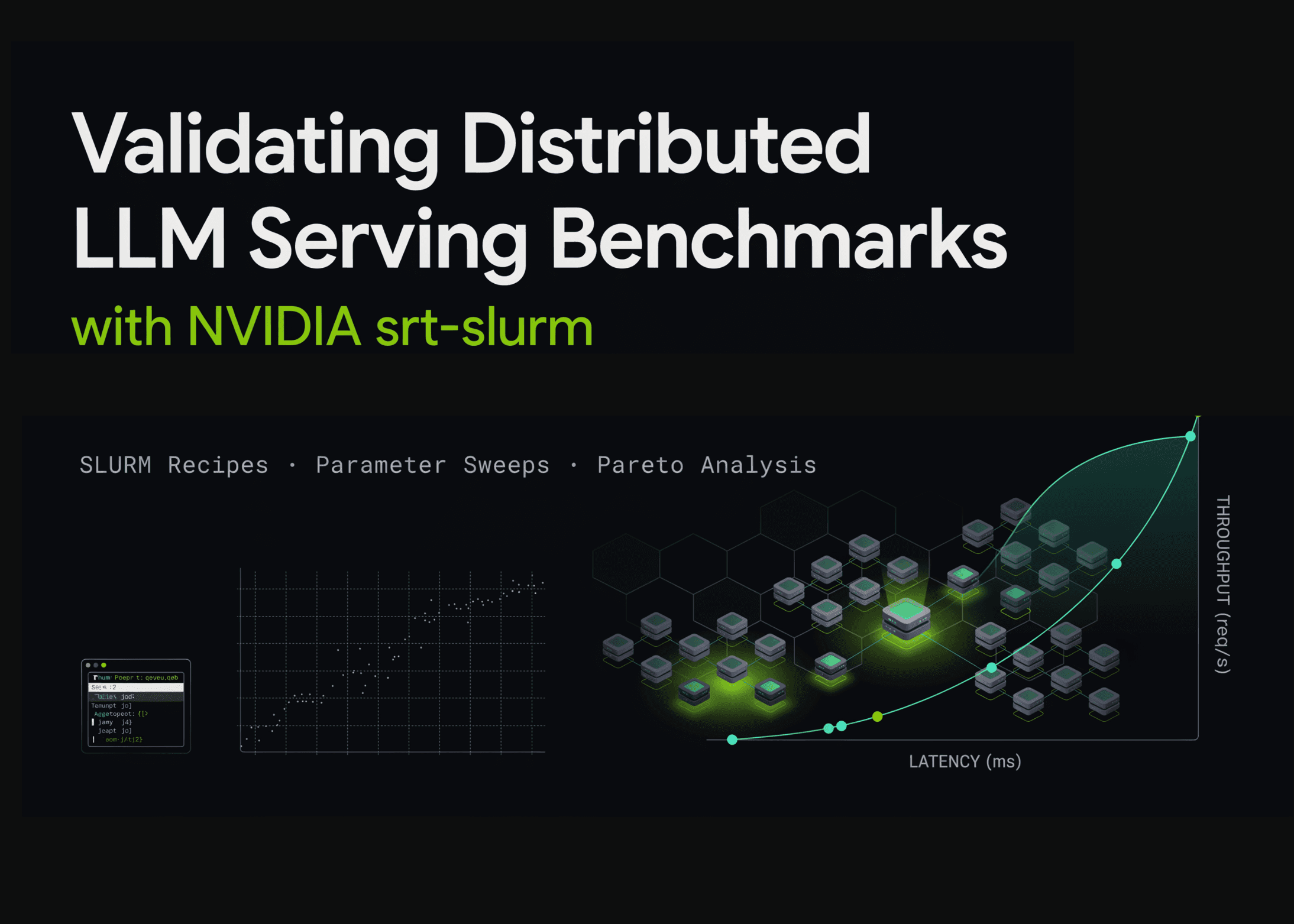
ในบทช่วยสอนนี้ เราจะไปสำรวจ NVIDIA’s srt-slurm ซึ่งเป็นเฟรมเวิร์กสำหรับสร้างเวิร์กโฟลว์เบนช์มาร์ก SLURM ที่ทำซ้ำได้สำหรับการให้บริการ LLM แบบกระจาย
เราจะเรียนรู้วิธีการใช้ srtctl เพื่อแปลงการกำหนดค่า YAML แบบ declarative ให้เป็นขั้นตอนการทำงานจริง โดยเริ่มจากการตั้งค่าโปรเจกต์ใน Google Colab เพื่อตรวจสอบสถาปัตยกรรมภายใน กำหนดค่าคลัสเตอร์ และทดสอบรัน (dry-run) recipes ทั้งแบบมาตรฐานและแบบกำหนดเอง รวมถึงการจำลองการติดตั้งใช้งานแบบแยกส่วน prefill-and-decode สำหรับ DeepSeek-R1
นอกจากนี้ เรายังได้สร้าง parameter sweeps และใช้งาน Python API ของเครื่องมือเพื่อตรวจสอบการกำหนดค่าที่ขยายผล พร้อมทั้งวิเคราะห์ผลลัพธ์ผ่าน Pareto frontier ระหว่าง throughput เทียบกับ latency แม้ว่า Colab จะไม่มีสภาพแวดล้อม SLURM จริง แต่เราสามารถใช้เป็นพื้นที่พัฒนาเพื่อเตรียม benchmark recipes ระดับโปรดักชันก่อนส่งไปยัง GPU คลัสเตอร์จริงได้
import os, sys, subprocess, textwrap, json, shutil, importlib
from pathlib import Path
def run(cmd, check=True, quiet=False):
"""Run a shell command, stream output."""
print(f"\n$ {cmd}")
r = subprocess.run(cmd, shell=True, text=True, capture_output=True)
out = (r.stdout or "") + (r.stderr or "")
if not quiet:
print(out[-6000:])
if check and r.returncode != 0:
raise RuntimeError(f"Command failed ({r.returncode}): {cmd}")
return out
def section(title):
print("\n" + "═"*78 + f"\n {title}\n" + "═"*78)
section("1. Install srt-slurm")
REPO = Path("/content/srt-slurm") if Path("/content").exists() else Path.cwd()/"srt-slurm"
if not REPO.exists():
run(f"git clone --depth 1 https://github.com/NVIDIA/srt-slurm.git {REPO}", quiet=True)
run(f"{sys.executable} -m pip install -q -e {REPO}", quiet=True)
sys.path.insert(0, str(REPO / "src"))
importlib.invalidate_caches()
os.chdir(REPO)
run("srtctl --help")
เราเริ่มต้นเตรียมสภาพแวดล้อมบน Colab ด้วยการนำเข้าโมดูลและกำหนดฟังก์ชันช่วยเหลือสำหรับการรันคำสั่ง จากนั้นทำการ clone repository ของ NVIDIA srt-slurm และติดตั้งในโหมดแก้ไขได้ (editable mode) เพื่อให้ Python runtime เข้าถึงซอร์สโค้ดได้ทันที ก่อนจะตรวจสอบความพึงพร้อมของ srtctl command-line interface
section("2. Repository architecture")
print(textwrap.dedent("""
src/srtctl/
cli/ submit.py (apply/dry-run/preflight/monitor), do_sweep, interactive
core/ schema.py (typed config), sweep.py, slurm.py (sbatch gen),
validation.py, health.py, topology.py, fingerprint.py
backends/ sglang.py, trtllm.py, vllm.py, mocker.py ← engine adapters
frontends/ Dynamo / router frontends
templates/ Jinja2 → sbatch + orchestrator scripts
recipes/ ready-made benchmarks per platform (gb200-fp4, h100, b200-fp8,
qwen3-32b, dsv4-pro, mocker smoke tests, ...)
analysis/ srtlog (log parsers) + Streamlit dashboard (Pareto, latency...)
docs/ sweeps.md, profiling.md, analyzing.md, config-reference.md
"""))
for d in ["recipes", "docs"]:
print(f"{d}/ →", ", ".join(sorted(p.name for p in (REPO/d).iterdir()))[:300])
section("3. Cluster configuration (srtslurm.yaml)")
(REPO/"srtslurm.yaml").write_text(textwrap.dedent("""\
cluster: "colab-demo"
default_account: "demo-account"
default_partition: "gpu"
default_time_limit: "01:00:00"
gpus_per_node: 4
use_gpus_per_node_directive: true
use_segment_sbatch_directive: true
containers:
dynamo-sglang: "/containers/dynamo-sglang.sqsh"
lmsysorg+sglang+v0.5.5.post2.sqsh: "/containers/sglang-v0.5.5.sqsh"
model_paths:
deepseek-r1: "/models/DeepSeek-R1"
"""))
print((REPO/"srtslurm.yaml").read_text())
ถัดมาเป็นการสำรวจโครงสร้างของ repository เพื่อให้เข้าใจการจัดระเบียบสคริปต์และแม่แบบต่างๆ เราได้สร้างไฟล์ srtslurm.yaml เพื่อจำลองค่าเริ่มต้นของคลัสเตอร์ เช่น การตั้งค่าโหนด GPU และที่เก็บโมเดล เพื่อใช้เป็นฐานข้อมูลสำหรับอ้างอิงใน recipe โดยไม่จำเป็นต้องเชื่อมต่อกับคลัสเตอร์จริงในช่วงการพัฒนา
section("4. Dry-run: mocker smoke test → generated sbatch script")
run("srtctl dry-run -f recipes/mocker/agg.yaml", check=False)
section("5. Custom disaggregated recipe (prefill/decode split)")
(REPO/"my-disagg.yaml").write_text(textwrap.dedent("""\
name: "colab-disagg-demo"
model:
path: "deepseek-r1"
container: "lmsysorg+sglang+v0.5.5.post2.sqsh"
precision: "fp8"
resources:
gpu_type: "gb200"
gpus_per_node: 4
prefill_nodes: 1
decode_nodes: 2
prefill_workers: 1
decode_workers: 2
backend:
prefill_environment: { PYTHONUNBUFFERED: "1" }
decode_environment: { PYTHONUNBUFFERED: "1" }
sglang_config:
prefill:
served-model-name: "deepseek-ai/DeepSeek-R1"
model-path: "/model/"
trust-remote-code: true
kv-cache-dtype: "fp8_e4m3"
tensor-parallel-size: 4
disaggregation-mode: "prefill"
decode:
served-model-name: "deepseek-ai/DeepSeek-R1"
model-path: "/model/"
trust-remote-code: true
kv-cache-dtype: "fp8_e4m3"
tensor-parallel-size: 4
disaggregation-mode: "decode"
benchmark:
type: "sa-bench"
isl: 1024
osl: 1024
concurrencies: [64, 128, 256]
req_rate: "inf"
"""))
run("srtctl dry-run -f my-disagg.yaml", check=False)
เราใช้วิธีทดสอบรัน (dry-run) เพื่อตรวจสอบความถูกต้องของการกำหนดค่าและดูว่า srtctl สร้างสคริปต์ SLURM ออกมาอย่างไร จากนั้นได้กำหนดเงื่อนไขระดับสูงสำหรับ DeepSeek-R1 โดยแยกเวิร์กโหลด prefill และ decode ออกจากกัน เพื่อดูการทำงานของ SGLang ในรูปแบบ disaggregated และตรวจสอบว่าพารามิเตอร์ต่างๆ ถูกแปลงเป็นคำสั่งอย่างถูกต้อง
section("6. Parameter sweep (grid search) — dry-run + expansion on disk")
run("srtctl dry-run -f examples/example-sweep.yaml", check=False)
sweep_dirs = sorted((REPO/"dry-runs").glob("example-sweep_sweep_*"))
if sweep_dirs:
latest = sweep_dirs[-1]
print("Per-job configs generated by the sweep expander:")
for p in sorted(latest.rglob("config.yaml")):
print(" ", p.relative_to(REPO))
section("7. Programmatic use of srtctl's Python API")
import yaml
from srtctl.core.config import load_config
from srtctl.core.sweep import generate_sweep_configs, expand_template
from srtctl.core.schema import BenchmarkType, Precision, GpuType
cfg = load_config("my-disagg.yaml")
print(f"Loaded : {cfg.name}")
print(f"Model : {cfg.model.path} ({cfg.model.precision}) on {cfg.resources.gpu_type}")
print(f"Layout : {cfg.resources.prefill_nodes}P + {cfg.resources.decode_nodes}D nodes, "
f"{cfg.resources.gpus_per_node} GPUs/node")
print(f"Bench : {cfg.benchmark.type} isl={cfg.benchmark.isl} osl={cfg.benchmark.osl} "
f"concurrencies={cfg.benchmark.concurrencies}")
print(f"Enums : benchmarks={[b.value for b in BenchmarkType]}")
print(f" precisions={[p.value for p in Precision]}, gpus={[g.value for g in GpuType]}")
raw_sweep = yaml.safe_load(Path("examples/example-sweep.yaml").read_text())
jobs = generate_sweep_configs(raw_sweep)
print(f"\nSweep expands to {len(jobs)} jobs:")
for job_cfg, params in jobs:
pf = job_cfg["backend"]["sglang_config"]["prefill"]
print(f" {params} → chunked-prefill-size={pf['chunked-prefill-size']}, "
f"max-total-tokens={pf['max-total-tokens']}")
print("\nTemplate substitution:",
expand_template({"flag": "{x}", "n": "{y}"}, {"x": 4096, "y": 2}))
ในขั้นตอนการค้นหาพารามิเตอร์แบบ sweep เราได้ทดลองรันงานหลายจุดในพื้นที่การค้นหาแบบ Cartesian เพื่อดูการขยายตัวของการตั้งค่าในแต่ละงานย่อย เราใช้ Python API ของ srtctl เพื่อเข้าถึงข้อมูล schema โดยตรง ช่วยให้เราตรวจสอบโมเดล ความแม่นยำ และ GPU topology ได้อย่างเป็นระบบ ซึ่งสำคัญมากในการจัดการกับการตั้งค่า backend ที่ซับซ้อน
section("8. Analysis: Pareto frontier from (simulated) benchmark results")
import numpy as np, matplotlib.pyplot as plt
rng = np.random.default_rng(0)
def simulate(variant, base_tps, base_itl):
rows = []
tps_gpu = base_tps * c / (c + 90) * rng.uniform(.97, 1.03)
itl = base_itl * (1 + c/220) * rng.uniform(.97, 1.03)
row_data = {"variant": variant, "concurrency": c,
"tok_s_gpu": tps_gpu, "itl_ms": itl}
return row_data
results = []
for c in [64, 128, 256]:
results.append({"variant": "chunked=4096", "concurrency": c, "tok_s_gpu": 260 * c / (c + 90), "itl_ms": 9.5 * (1 + c/220)})
results.append({"variant": "chunked=8192", "concurrency": c, "tok_s_gpu": 300 * c / (c + 90), "itl_ms": 11.5 * (1 + c/220)})

print(json.dumps(results[:3], indent=2), "...")
plt.figure(figsize=(8, 5))
for variant in ("chunked=4096", "chunked=8192"):
pts = [(r["itl_ms"], r["tok_s_gpu"], r["concurrency"])
for r in results if r["variant"] == variant]
xs, ys, cs = zip(*pts)
plt.plot(xs, ys, "o-", label=variant)
for x, y, c in pts:
plt.annotate(str(c), (x, y), fontsize=7, xytext=(3, 3),
textcoords="offset points")
plt.xlabel("Inter-token latency (ms/token) → worse")
plt.ylabel("Throughput (tokens/s/GPU) → better")
plt.title("Pareto frontier: sweep variants (points labeled by concurrency)")
plt.legend(); plt.grid(alpha=.3); plt.tight_layout(); plt.show()
เราได้จำลองข้อมูลเบนช์มาร์กของตัวแปร chunked-prefill สองรูปแบบที่ระดับความหนาแน่นผู้ใช้งานแตกต่างกัน เพื่อให้เห็นภาพรวมของ throughput และ latency ที่สอดคล้องกับสภาพจริงในระบบกระจาย การแสดงผลในกราฟ Pareto ช่วยให้เราเห็นจุดคุ้มค่าระหว่างความเร็วในการตอบสนองกับขีดความสามารถในการประมวลผล เพื่อตัดสินใจเลือกการกำหนดค่าที่เหมาะสมที่สุด
section("9. Next steps on a real cluster")
print(textwrap.dedent("""
make setup ARCH=aarch64|x86_64
srtctl preflight -f my-disagg.yaml
srtctl apply -f my-disagg.yaml
srtctl apply -f sweep.yaml
srtctl monitor
uv run streamlit run analysis/dashboard/app.py
srtctl diff runA runB
Logs land in outputs/{JOB_ID}/logs/; analysis/srtlog parses them
(NodeAnalyzer, RunLoader) for programmatic post-processing.
Reproducibility tip (srtctl also prints this in dry-run): add an
identity: block to your recipe — HF model repo + revision, container
image URI, and framework versions — so srtctl can verify the runtime
matches your declaration at job start.
"""))
print("✅ Tutorial complete.")
เมื่อสูตรเบนช์มาร์กได้รับการตรวจสอบความถูกต้องแล้ว เราก็พร้อมที่จะย้ายจาก Colab ไปยังคลัสเตอร์ NVIDIA GPU ของจริงที่มี SLURM โดยสามารถใช้คำสั่ง srtctl preflight เพื่อตรวจสอบครั้งสุดท้ายก่อนรันจริง การเพิ่มส่วน identity ใน recipe จะช่วยให้ระบบตรวจสอบเวอร์ชันของโมเดลและคอนเทนเนอร์ให้ตรงตามที่กำหนดไว้ เพื่อความแม่นยำและสามารถทำซ้ำผลลัพธ์เดิมได้ทุกครั้ง
สรุปได้ว่า เวิร์กโฟลว์นี้ช่วยให้เราสามารถเตรียมการเปรียบเทียบประสิทธิภาพ LLM แบบกระจายได้อย่างเป็นระบบและมั่นใจ ลดความเสี่ยงในการสูญเสียทรัพยากรราคาแพงจากการตั้งค่าผิดพลาด
ความคิดเห็น (0)
เข้าสู่ระบบเพื่อร่วมแสดงความเห็น
สมัครสมาชิกมาเป็นคนแรกที่แสดงความเห็นกันเลยโบร