
เจาะลึกวิศวกรรมการสร้าง Voice AI Agent: เมื่อเสียงเป็นมากกว่าแค่การพิมพ์
บทนำ
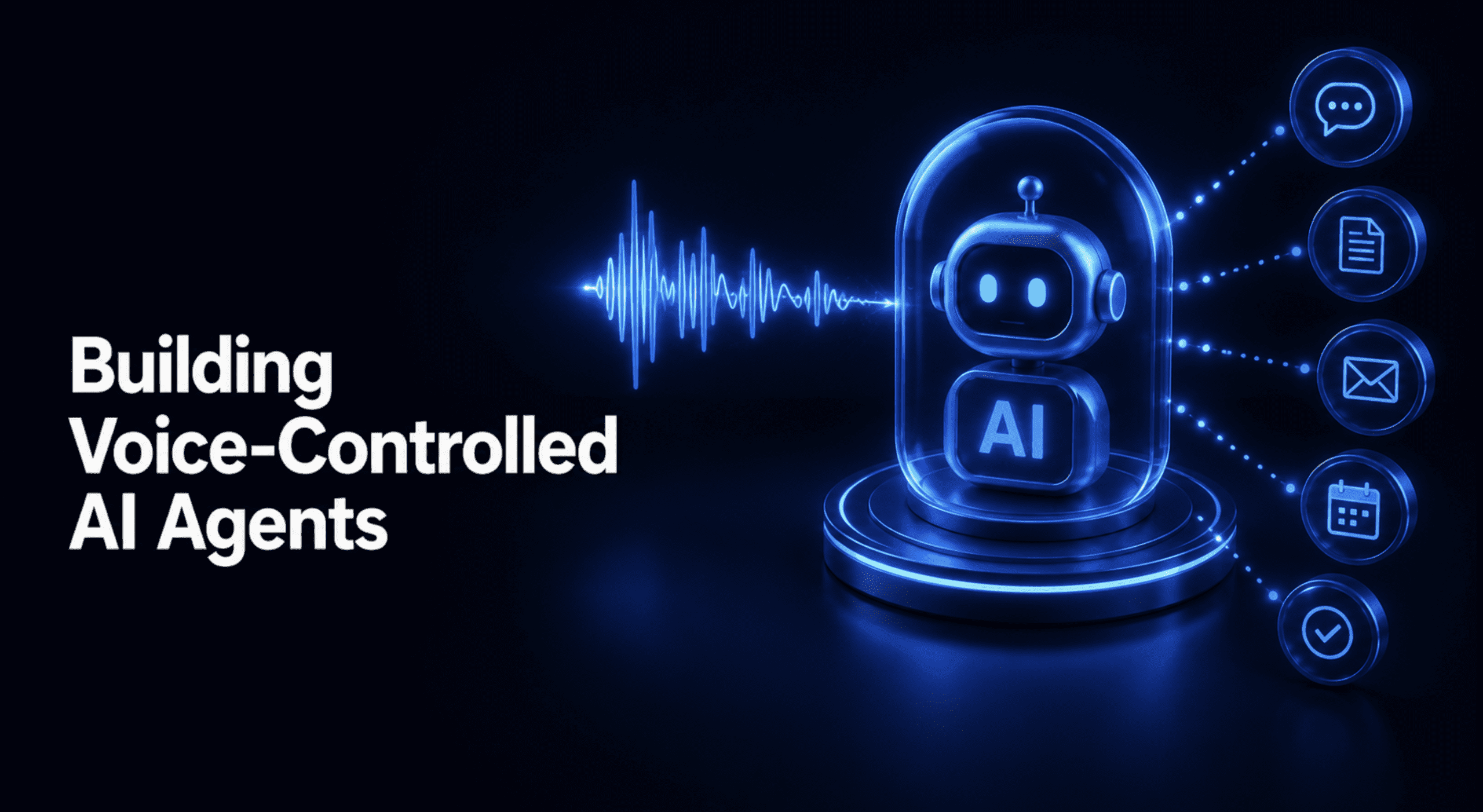
คนส่วนใหญ่มักเข้าใจว่าการสร้างเอเจนต์เสียง (Voice Agent) เป็นเพียงการนำเทคโนโลยีสามอย่างมาต่อกัน ได้แก่ Speech-to-Text (STT), Large Language Model (LLM) และ Text-to-Speech (TTS) แม้ภาพนี้จะถูกต้องในเชิงทฤษฎี แต่มันคือสถาปัตยกรรมแบบพื้นฐานที่สุดที่รอให้แต่ละขั้นตอนเสร็จสิ้นก่อนเริ่มขั้นถัดไป ซึ่งส่งผลให้การทำงานช้าเกินกว่าจะเป็นการสนทนาจริงในมาตรฐานปี 2026
ความท้าทายที่แท้จริงไม่ใช่แค่การเขียนพรอมต์หรือตัวโมเดล แต่คือการประสานงาน (Orchestration) ขององค์ประกอบต่างๆ ทั้งความหน่วง (Latency), การสลับรอบการพูด (Turn-taking), การเรียกใช้เครื่องมือ (Tool calls) และการจัดการเมื่อถูกพูดแทรก (Interruption handling) เสียงเป็นปัญหาเรื่องจังหวะการโต้ตอบ ไม่ใช่แค่การถอดความ ระบบที่ดูเป็นธรรมชาติจึงต้องมีกลไกตรวจจับจุดสิ้นสุดของบทสนทนาเชิงความหมาย และการยกเลิกเสียงเมื่อมีการพูดแทรกอย่างแม่นยำ
บทความนี้จะแยกย่อยไปป์ไลน์ของเอเจนต์เสียงออกเป็นส่วนประกอบสำคัญ ได้แก่ การจดจำเสียงแบบสตรีมมิ่ง, การตรวจจับรอบสนทนา, การสร้างข้อความแบบสตรีมมิ่ง, การจัดการการพูดแทรก และการเรียกใช้เครื่องมือ พร้อมตัวอย่างโค้ดที่ผ่านการทดสอบแล้ว เพื่อให้เห็นภาพการทำงานของแต่ละส่วนโดยไม่จำเป็นต้องใช้ไมโครโฟนสดหรือ API Key แบบเสียเงินในการรัน
ทำไมรูปแบบการทำงานเป็นลำดับขั้นตอนถึงใช้ไม่ได้ผล
ในรูปแบบการทำงานแบบลำดับขั้นตอน (Sequential Pattern) ผู้ใช้ต้องพูดจนจบ STT จึงจะถอดความ จากนั้น LLM จึงเริ่มสร้างคำตอบ และ TTS จึงสังเคราะห์เสียงออกมา วิธีนี้สร้างง่ายแต่ช้าที่สุดเพราะแต่ละขั้นตอนต้องหยุดรอให้ขั้นตอนก่อนหน้าเสร็จสมบูรณ์ ทำให้เกิดความล่าช้าสะสม
ในทางตรงกันข้าม รูปแบบการสตรีมมิ่ง (Streaming Pattern) คือมาตรฐานสำหรับการใช้งานจริง โดยแต่ละส่วนจะส่งข้อมูลต่อไปยังส่วนถัดไปทันที STT จะส่งข้อความบางส่วนไปให้ LLM ในขณะที่ LLM จะสตรีมโทเค็นไปยัง TTS เพื่อเริ่มสังเคราะห์และเล่นเสียงประโยคแรกทันทีแม้คำตอบส่วนที่เหลือจะยังสร้างไม่เสร็จ แม้วิธีนี้จะจัดการยากกว่าเพราะต้องดูแลสถานะและการพูดแทรกอย่างระมัดระวัง แต่มันเป็นวิธีเดียวที่ทำให้ความหน่วงอยู่ในระดับที่ยอมรับได้
เกณฑ์ความหน่วงของการสนทนามนุษย์อยู่ที่ประมาณ 200 ถึง 300 มิลลิวินาที หากการตอบสนองช้าเกิน 500 มิลลิวินาทีจะเริ่มรู้สึกไม่เป็นธรรมชาติ และหากเกิน 3 วินาทีผู้ใช้มักจะเลิกสนใจ ระบบระดับนำในปัจจุบันจึงพยายามทำระยะเวลาถึงโทเค็นแรก (Time-to-first-token) ให้อยู่ในช่วง 0.8 ถึง 3 วินาที เพื่อให้เอเจนต์อยู่ในโซนที่ผู้ใช้รู้สึกสบายใจที่จะคุยด้วย
การทำ Speech-to-Text แบบสตรีมมิ่ง
หน้าที่ของ STT ในเอเจนต์เสียงคือการประมวลผลสตรีมเสียงที่เข้ามาอย่างต่อเนื่องและส่งข้อความออกมาในขณะที่ผู้ใช้กำลังพูด STT สำหรับใช้งานจริงจะทำงานผ่าน WebSocket ที่เชื่อมต่อตลอดเวลา โดยส่งเสียงเป็นชิ้นเล็กๆ (Chunks) ขนาด 50 มิลลิวินาที และรับเหตุการณ์ข้อความถอดความกลับมาแบบเรียลไทม์
ความแม่นยำในช่วงนี้มีความสำคัญมาก โดยเฉพาะ Entity เช่น เลขคำสั่งซื้อหรือชื่อเฉพาะ เพราะหากถอดความผิดจะส่งผลต่อการทำงานในขั้นตอนถัดไปทันที ระบบ STT แบบสตรีมมิ่งจะส่งเหตุการณ์บางส่วน (Partial Events) เพื่อแสดงผลความคืบหน้า และส่งเหตุการณ์สุดท้าย (Final Event) หนึ่งครั้งเมื่อโมเดลมั่นใจว่าคำพูดนิ่งแล้ว
# streaming_stt.py
# Prerequisites: Python 3.10+, standard library only
# Run: python streaming_stt.py

import asyncio
from dataclasses import dataclass
from enum import Enum

class TranscriptEventType(Enum):
    PARTIAL = "transcript.user.delta"   # live, still-changing transcript
    FINAL = "transcript.user"            # confirmed, won't change again

@dataclass
class TranscriptEvent:
    event_type: TranscriptEventType
    text: str
    confidence: float = 1.0

class MockStreamingSTT:
    """
    Stands in for a real STT WebSocket connection. Real implementations
    send audio chunks and receive these same two event types back --
    partial deltas while the user is mid-utterance, then one final
    event once the model is confident the words are settled.
    """
    def __init__(self, simulated_utterance: str):
        words = simulated_utterance.split()
        self._partial_stages = [" ".join(words[:i]) for i in range(1, len(words) + 1)]

async def stream_events(self):
        for stage in self._partial_stages[:-1]:
            yield TranscriptEvent(TranscriptEventType.PARTIAL, stage, confidence=0.7)
            await asyncio.sleep(0)   # yield control, simulating real async I/O
        yield TranscriptEvent(TranscriptEventType.FINAL, self._partial_stages[-1], confidence=0.97)

async def consume_transcript_stream(stt: MockStreamingSTT):
    """
    The pattern every voice agent client implements: render partial
    transcripts live for responsiveness, but only act on the FINAL
    event downstream -- partials can and do change before that.
    """
    final_transcript = None
    partial_count = 0

async for event in stt.stream_events():
        if event.event_type == TranscriptEventType.PARTIAL:
            partial_count += 1
            print(f"  [partial] '{event.text}' (confidence={event.confidence})")
        elif event.event_type == TranscriptEventType.FINAL:
            final_transcript = event.text
            print(f"  [FINAL]   '{event.text}' (confidence={event.confidence})")

return final_transcript, partial_count

async def main():
    stt = MockStreamingSTT("My order number is A B 3 7 9 2")
    final_text, n_partials = await consume_transcript_stream(stt)
    print(f"\nFinal transcript used downstream: '{final_text}'")
    print(f"Partial events received before final: {n_partials}")

asyncio.run(main())วิธีรัน: python streaming_stt.py ไม่ต้องมี dependencies เพิ่มเติม
โค้ดส่วนปลายน้ำจะทำงานกับเหตุการณ์ FINAL เพียงครั้งเดียว แม้จะมีข้อมูลสตรีมเข้ามาหลายครั้งก่อนหน้า การแยกส่วนนี้ช่วยให้ระบบตอบสนองได้รวดเร็วขณะที่ยังรักษาความถูกต้องของข้อมูลไว้ได้ ซึ่งเป็นรูปแบบที่ไคลเอนต์ STT อย่าง Voice Agent API ของ AssemblyAI เลือกใช้
การตรวจจับรอบการสนทนา: การตัดสินใจว่าผู้ใช้พูดจบจริงๆ เมื่อไหร่
การตรวจจับรอบการสนทนา (Turn detection) มักถูกเข้าใจผิดว่าเป็นส่วนเดียวกับ STT แต่จริงๆ แล้วมันคือการวิเคราะห์รูปแบบความเงียบ (Silence pattern) ในสตรีมเสียงเพื่อตัดสินใจว่าเมื่อใดที่เอเจนต์ควรเริ่มตอบโต้ หากตั้งค่าเร็วเกินไป เอเจนต์จะพูดแทรกผู้ใช้ที่กำลังหยุดคิด แต่ถ้าช้าเกินไปก็จะเกิดช่วงความเงียบที่น่าอึดอัด
ระบบที่ใช้งานจริงมักใช้ตัวเลขสองค่าในการควบคุม: ระยะเวลาความเงียบขั้นต่ำ (Minimum silence duration) ประมาณ 600 มิลลิวินาทีสำหรับจบการพูดเมื่อเนื้อหาดูสมบูรณ์แล้ว และเพดานความเงียบสูงสุด (Maximum silence ceiling) ประมาณ 1500 มิลลิวินาทีเพื่อบังคับให้ตอบสนองในกรณีที่มีการหยุดพูดนานเกินไป ซึ่งค่าเหล่านี้สามารถปรับแต่งได้ตามบริบทการใช้งาน เช่น บริบททางการแพทย์อาจต้องตั้งค่าให้สูงขึ้น
# turn_detection.py
# Prerequisites: Python 3.10+, standard library only
# Run: python turn_detection.py

from dataclasses import dataclass
from enum import Enum

class TurnState(Enum):
    LISTENING = "listening"
    SILENCE_PENDING = "silence_pending"   # silence detected, not yet long enough to decide
    END_OF_TURN = "end_of_turn"

@dataclass
class AudioFrame:    is_speech: bool
    timestamp_ms: int

class TurnDetector:
    """
    Standalone turn-detection state machine -- consumes a stream of
    (is_speech, timestamp) frames and decides when the user has
    finished speaking. Deliberately separate from STT: STT produces
    transcripts; turn detection decides WHEN to stop listening and
    let the agent respond, using the silence pattern in the audio
    stream itself.    """
    def __init__(self, min_silence_ms: int = 600, max_silence_ms: int = 1500):
        self.min_silence_ms = min_silence_ms
        self.max_silence_ms = max_silence_ms
        self._silence_start: int | None = None
        self.state = TurnState.LISTENING

def process_frame(self, frame: AudioFrame, utterance_looks_complete: bool = True) -> TurnState:
        if frame.is_speech:
            self._silence_start = None
            self.state = TurnState.LISTENING
            return self.state

if self._silence_start is None:
            self._silence_start = frame.timestamp_ms

silence_duration = frame.timestamp_ms - self._silence_start

if silence_duration >= self.max_silence_ms:
            self.state = TurnState.END_OF_TURN
        elif silence_duration >= self.min_silence_ms and utterance_looks_complete:
            self.state = TurnState.END_OF_TURN
        else:
            self.state = TurnState.SILENCE_PENDING

return self.state

if __name__ == "__main__":
    print("Complete-sounding utterance -- the minimum threshold applies:")
    detector = TurnDetector(min_silence_ms=600, max_silence_ms=1500)
    frames = [
        AudioFrame(True, 0), AudioFrame(True, 100), AudioFrame(True, 200),
        AudioFrame(False, 300), AudioFrame(False, 400),
        AudioFrame(True, 500), AudioFrame(True, 600),
        AudioFrame(False, 700), AudioFrame(False, 900),
        AudioFrame(False, 1100), AudioFrame(False, 1300),
    ]

for f in frames:
        state = detector.process_frame(f)
        print(f"  t={f.timestamp_ms:>5}ms speech={f.is_speech!s:>5} -> {state.value}")

print("\nUtterance that still sounds unfinished -- the ceiling applies:")
    trailing_detector = TurnDetector(min_silence_ms=600, max_silence_ms=1500)
    trailing_frames = [AudioFrame(True, 0)] + [AudioFrame(False, t) for t in range(100, 1800, 400)]

for f in trailing_frames:
        state = trailing_detector.process_frame(f, utterance_looks_complete=False)
print(f" t={f.timestamp_ms:>5}ms speech={f.is_speech!s:>5} -> {state.value}")วิธีรัน: python turn_detection.py ไม่ต้องมี dependencies เพิ่มเติม
การแยกเกณฑ์ขั้นต่ำและเพดานสูงสุดช่วยให้ระบบจัดการกับการหยุดใช้ความคิดชั่วคราวได้ โดยไม่เผลอตัดจบบทสนทนาก่อนที่ผู้ใช้จะพูดจบจริงๆ
การสตรีมการตอบกลับเข้าสู่ Text-to-Speech
เมื่อตรวจพบว่าผู้ใช้พูดจบแล้ว LLM ควรส่งโทเค็นออกมาแบบต่อเนื่อง และ TTS จะเริ่มสังเคราะห์เสียงจากประโยคแรกที่สมบูรณ์ทันทีโดยไม่รอให้ LLM สร้างคำตอบทั้งหมดเสร็จสิ้น การส่งข้อมูลทีละประโยค (Sentence-level handoff) คือหัวใจสำคัญที่ทำให้ความรู้สึกในการโต้ตอบดูฉับไว
# sentence_chunker.py
# Prerequisites: Python 3.10+, standard library only
# Run: python sentence_chunker.py

import asyncio
import re

SENTENCE_END_PATTERN = re.compile(r'(?<=[.!?])\s+')

async def mock_llm_token_stream(text: str):
    for word in text.split(" "):
        yield word + " "
        await asyncio.sleep(0)

async def stream_sentences(token_stream) -> list[str]:
    buffer = ""
    sentences = []

async for token in token_stream:
        buffer += token
        match = SENTENCE_END_PATTERN.search(buffer)
        while match:
            sentence = buffer[:match.start() + 1].strip()
            sentences.append(sentence)
            print(f"  [sentence ready for TTS] '{sentence}'")
            buffer = buffer[match.end():]
            match = SENTENCE_END_PATTERN.search(buffer)

if buffer.strip():
        sentences.append(buffer.strip())
        print(f"  [final fragment flushed] '{buffer.strip()}'")

return sentences

async def main():
    text = (
        "Let me check that for you. Your order shipped yesterday and "
        "should arrive Thursday. Is there anything else I can help with"
    )
    sentences = await stream_sentences(mock_llm_token_stream(text))
    print(f"\nTotal sentences yielded: {len(sentences)}")

asyncio.run(main())วิธีรัน: python sentence_chunker.py ไม่ต้องมี dependencies เพิ่มเติม
การจัดการการพูดแทรกโดยไม่ทำให้สถานะระบบพัง
Barge-in หรือการพูดแทรก เป็นส่วนที่ท้าทายทางวิศวกรรมมากที่สุด การพูดแทรกต้องการการทำงานสี่อย่างพร้อมกัน: หยุดเสียง TTS, ยกเลิกการสร้างเสียงที่ค้างอยู่, ยกเลิกการสร้างข้อความ LLM และรีเซ็ตสตรีม หากขาดขั้นตอนใดไป เอเจนต์อาจพูดทับผู้ใช้หรือทำตัวสับสน
กุญแจสำคัญคือการป้องกันผลบวกปลอม (False-positive) เพื่อไม่ให้เสียงไอหรือเสียงรบกวนรอบข้างมาขัดจังหวะเอเจนต์โดยไม่ตั้งใจ ระบบจึงต้องใช้สัญญาณสามอย่างร่วมกัน: เกณฑ์พลังงานเสียง (Energy threshold), ตัวจำแนกเสียงมนุษย์ (Voice classifier) อย่าง Silero VAD และตัวป้องกันระยะเวลาขั้นต่ำ (Minimum-duration guard) เพื่อให้แน่ใจว่าเป็นการพูดแทรกจริงๆ ไม่ใช่แค่เสียงชั่วคราว
# bargein_detector.py
# Prerequisites: Python 3.10+, standard library only
# Run: python bargein_detector.py

from dataclasses import dataclass

@dataclass
class AudioChunk:
    energy_dbfs: float
    voice_confidence: float
    timestamp_ms: int

class BargeInDetector:
    def __init__(
        self,        energy_threshold_dbfs: float = -40.0,
        voice_confidence_threshold: float = 0.6,
        min_duration_ms: int = 250,
    ):
        self.energy_threshold = energy_threshold_dbfs
        self.voice_threshold = voice_confidence_threshold
        self.min_duration_ms = min_duration_ms
        self._candidate_start_ms: int | None = None

def process_chunk(self, chunk: AudioChunk) -> bool:
        passes_energy = chunk.energy_dbfs > self.energy_threshold
        passes_voice = chunk.voice_confidence > self.voice_threshold

if not (passes_energy and passes_voice):
            self._candidate_start_ms = None
            return False

if self._candidate_start_ms is None:
            self._candidate_start_ms = chunk.timestamp_ms

sustained_duration = chunk.timestamp_ms - self._candidate_start_ms
        return sustained_duration >= self.min_duration_ms

if __name__ == "__main__":
    detector_1 = BargeInDetector()
    real_interruption = [AudioChunk(-30, 0.9, t) for t in range(0, 350, 50)]
    fires_1 = [detector_1.process_chunk(c) for c in real_interruption]
    print(f"Real interruption (sustained 300ms):      fired={any(fires_1)}")

detector_2 = BargeInDetector()
    cough = [AudioChunk(-28, 0.8, 0), AudioChunk(-50, 0.1, 50), AudioChunk(-50, 0.1, 100)]
    fires_2 = [detector_2.process_chunk(c) for c in cough]
print(f"Single cough (<100ms): fired={any(fires_2)}")วิธีรัน: python bargein_detector.py ไม่ต้องมี dependencies เพิ่มเติม
ความล้มเหลวที่อันตรายที่สุดคือ การขัดจังหวะในขณะที่ระบบกำลังทำรายการสำคัญที่ย้อนกลับไม่ได้ เช่น การชำระเงินหรือการบันทึกฐานข้อมูล ดังนั้นการบัฟเฟอร์ผลลัพธ์จากเครื่องมือจึงมีความสำคัญมาก
การเรียกใช้เครื่องมือระหว่างการสนทนา
การเรียกใช้เครื่องมือในระบบเสียงมีความแตกต่างจากแชทบอท เพราะความเงียบระหว่างรอผลลัพธ์อาจทำให้ผู้ใช้คิดว่าสายหลุด วิธีแก้คือการใช้เทคนิค "ข้อความเกริ่นนำ" (Preamble) เช่น "รอสักครู่ในขณะที่ผมดึงข้อมูลให้นะครับ" เพื่อรักษาบทสนทนาไว้
นอกจากนี้ หากผู้ใช้พูดแทรกก่อนที่ผลลัพธ์ของเครื่องมือจะมาถึง ระบบควรสะสมผลลัพธ์ไว้และส่งต่อเมื่อจบรอบสนทนาอย่างสมบูรณ์เท่านั้น แต่ถ้าถูกขัดจังหวะกลางคัน ผลลัพธ์ที่ค้างอยู่จะต้องถูกละทิ้ง เพื่อป้องกันไม่ให้ข้อมูลที่ล้าสมัยเข้าไปสร้างความสับสนในหัวข้อใหม่
# tool_result_buffer.py
# Prerequisites: Python 3.10+, standard library only
# Run: python tool_result_buffer.py

from dataclasses import dataclass
from enum import Enum

class TurnOutcome(Enum):
    CLEAN_COMPLETION = "clean_completion"
    INTERRUPTED = "interrupted"

@dataclass
class PendingToolResult:
    call_id: str
    result: dict

class ToolResultBuffer:
    def __init__(self):
        self._pending: list[PendingToolResult] = []

def accumulate(self, call_id: str, result: dict) -> None:
        self._pending.append(PendingToolResult(call_id, result))

def resolve_turn(self, outcome: TurnOutcome) -> list[PendingToolResult]:
        pending = list(self._pending)
        self._pending.clear()
        if outcome == TurnOutcome.CLEAN_COMPLETION:
            return pending
        return []

if __name__ == "__main__":
    buffer_1 = ToolResultBuffer()
    buffer_1.accumulate("call_abc123", {"temp_c": 22, "condition": "sunny"})
    flushed_1 = buffer_1.resolve_turn(TurnOutcome.CLEAN_COMPLETION)
    print(f"Clean completion:  {len(flushed_1)} result(s) sent -> {flushed_1}")

buffer_2 = ToolResultBuffer()
    buffer_2.accumulate("call_def456", {"confirmation_code": "CONF7821"})
    flushed_2 = buffer_2.resolve_turn(TurnOutcome.INTERRUPTED)
print(f"Interrupted turn: {len(flushed_2)} result(s) sent (correctly discarded)")วิธีรัน: python tool_result_buffer.py ไม่ต้องมี dependencies เพิ่มเติม
ส่วนประกอบต่างๆ เชื่อมต่อกันอย่างไรจริงๆ
เมื่อนำส่วนประกอบทั้งหมดมาต่อกัน: เสียงจะผ่าน STT แบบสตรีมมิ่ง, ตัวตรวจจับรอบสนทนาคอยดูจังหวะความเงียบ, LLM สตรีมคำตอบให้ TTS เริ่มพูดประโยคแรกอย่างรวดเร็ว, ระบบจัดการการพูดแทรกคอยเฝ้าระวัง และการเรียกใช้เครื่องมือมีการใช้ข้อความเกริ่นนำเพื่อไม่ให้เกิดความเงียบที่น่าอึดอัด
ปัจจุบันผู้ให้บริการเริ่มรวมส่วนประกอบเหล่านี้เข้าด้วยกันผ่าน WebSocket เดียว เช่น Voice Agent API ของ AssemblyAI หรือ Realtime API ของ OpenAI ซึ่งช่วยให้ผู้พัฒนาในปี 2026 ไม่ต้องสร้างทุกอย่างเอง แต่การเข้าใจการทำงานเชิงลึกจะช่วยให้สามารถวินิจฉัยและแก้ไขปัญหาได้ตรงจุดเมื่อเอเจนต์ทำงานผิดปกติ
สรุป
Voice AI Agent ไม่ใช่แค่แชทบอทที่ต่อลำโพง แต่มันคือการแก้ปัญหาเฉพาะทางห้าประการที่ไม่มีในโลกข้อความ: การสตรีมแทนการรอ, การตรวจจับจังหวะการพูดที่ยืดหยุ่น, การส่งต่องานระดับประโยค, การจัดการการพูดแทรกด้วยสัญญาณสามทาง และการบัฟเฟอร์ผลลัพธ์จากเครื่องมือ
ภายใต้งบประมาณความหน่วงเพียง 500 มิลลิวินาที องค์ประกอบเหล่านี้คือตัวตัดสินว่าเอเจนต์ของคุณจะให้ความรู้สึกที่เป็นธรรมชาติหรือเป็นเพียงระบบตอบรับอัตโนมัติที่น่ารำคาญ การรู้หน้าที่ของแต่ละชิ้นส่วนจะเปลี่ยนวิศวกรจากการลองผิดลองถูกให้เป็นผู้เชี่ยวชาญที่สามารถสร้างระบบเสียงที่ใช้งานได้จริงในโลกธุรกิจ
แหล่งข้อมูล:
ความคิดเห็น (0)
เข้าสู่ระบบเพื่อร่วมแสดงความเห็น
สมัครสมาชิกมาเป็นคนแรกที่แสดงความเห็นกันเลยโบร